Best AI Receptionist For Landscapers (2026)
Stop losing landscaping jobs to missed calls. The best AI receptionist for landscapers answers 24/7, books estimates, and costs under $100/month.
February 10, 2026
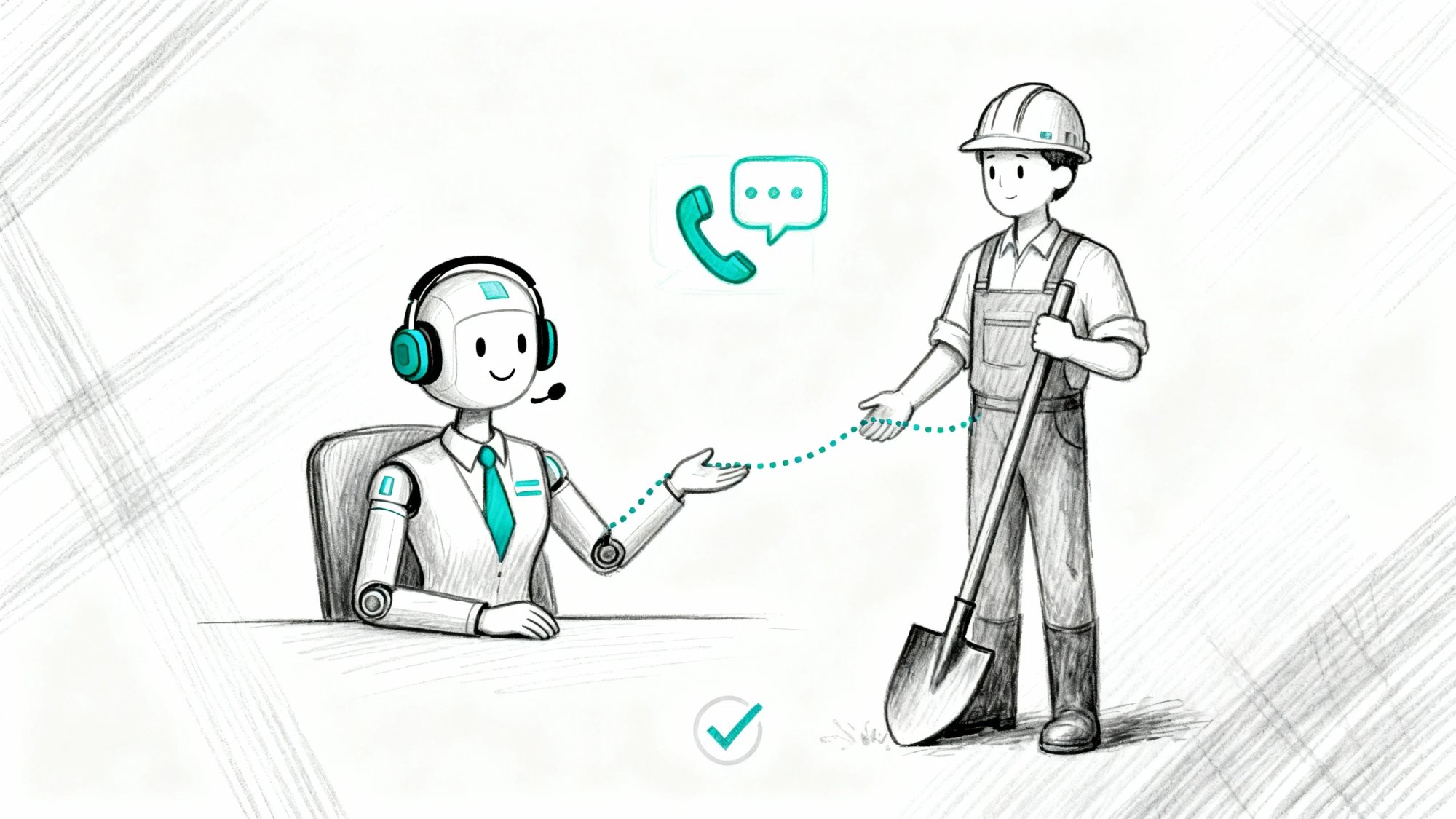
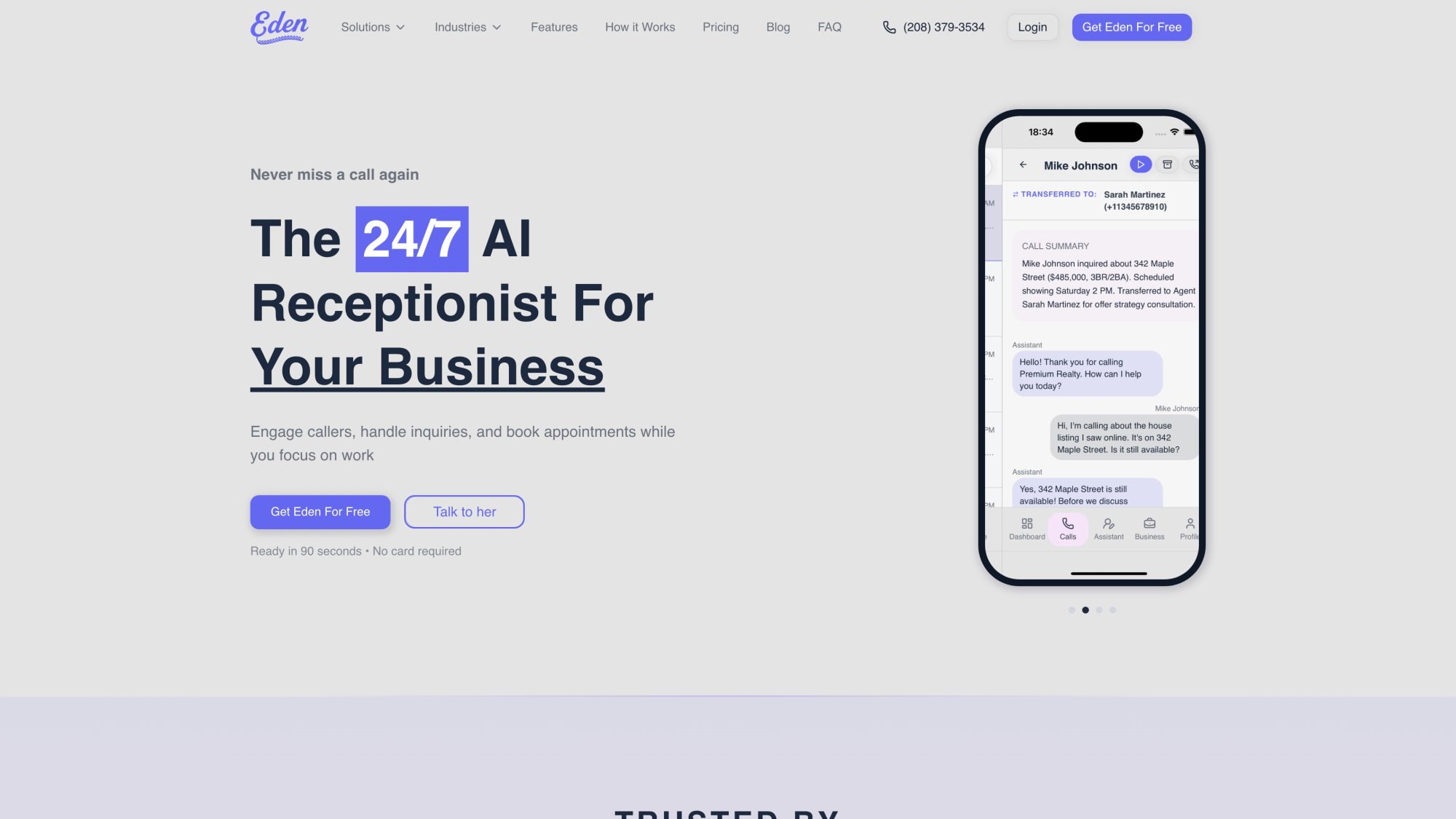
You're riding a zero-turn mower on a three-acre property when your phone buzzes in your pocket. It could be a $20,000 annual maintenance contract calling. Or just another robocall about your truck's warranty. But you can't answer with your hands full of mulch and machinery noise drowning everything out.
The call goes to voicemail. Like 80% of callers who hit voicemail, the prospect hangs up without leaving a message. By the time you return the call after finishing the job, they've moved on.
Actually, 78% of customers hire the first business that responds to them, so if you don't pick up, a faster competitor will.
For landscaping and lawn care businesses, every missed call is a lost opportunity. Often a big one. In home services, the average missed call represents about $1,200 in lost revenue. That could be a full season of lawn treatments or a one-off landscaping project that would have become a recurring client.
And it's not just the immediate job. A missed call means losing the lifetime value of that customer (repeat services, referrals, annual contracts) to someone else.
Landscapers work hard and spend money on marketing to make the phone ring. This guide shows you how AI receptionists ensure you never miss those calls again, capturing every lead 24/7 and even booking jobs while you're out in the field.
We'll cover what an AI receptionist is, how it works specifically for landscaping businesses, the must-have features to look for, and how to evaluate AI receptionist services for landscapers in 2026.
By the end, you'll see how the right AI receptionist can help you secure more lawn care contracts, fill your schedule, and outpace competitors without hiring additional staff.
How Many Landscaping Leads Do You Lose From Missed Calls?#
Every landscaping business owner knows the scenario: the phone tends to ring at the worst times. When you're on a mower, up a tree, refueling equipment, or with a client.
Calls also surge after hours (a homeowner gets home from work and calls about a quote) and on weekends (when customers finally have time to deal with yard work).
If you're a small operation, you probably don't have a full-time receptionist. That means many calls go unanswered.
Industry data backs this up: small businesses manage to answer only about 38% of incoming calls on average. The rest either go to voicemail or just ring out.
What Missed Calls Cost Landscaping Businesses#
For landscapers, the cost of those missed calls is huge:
Lost Leads
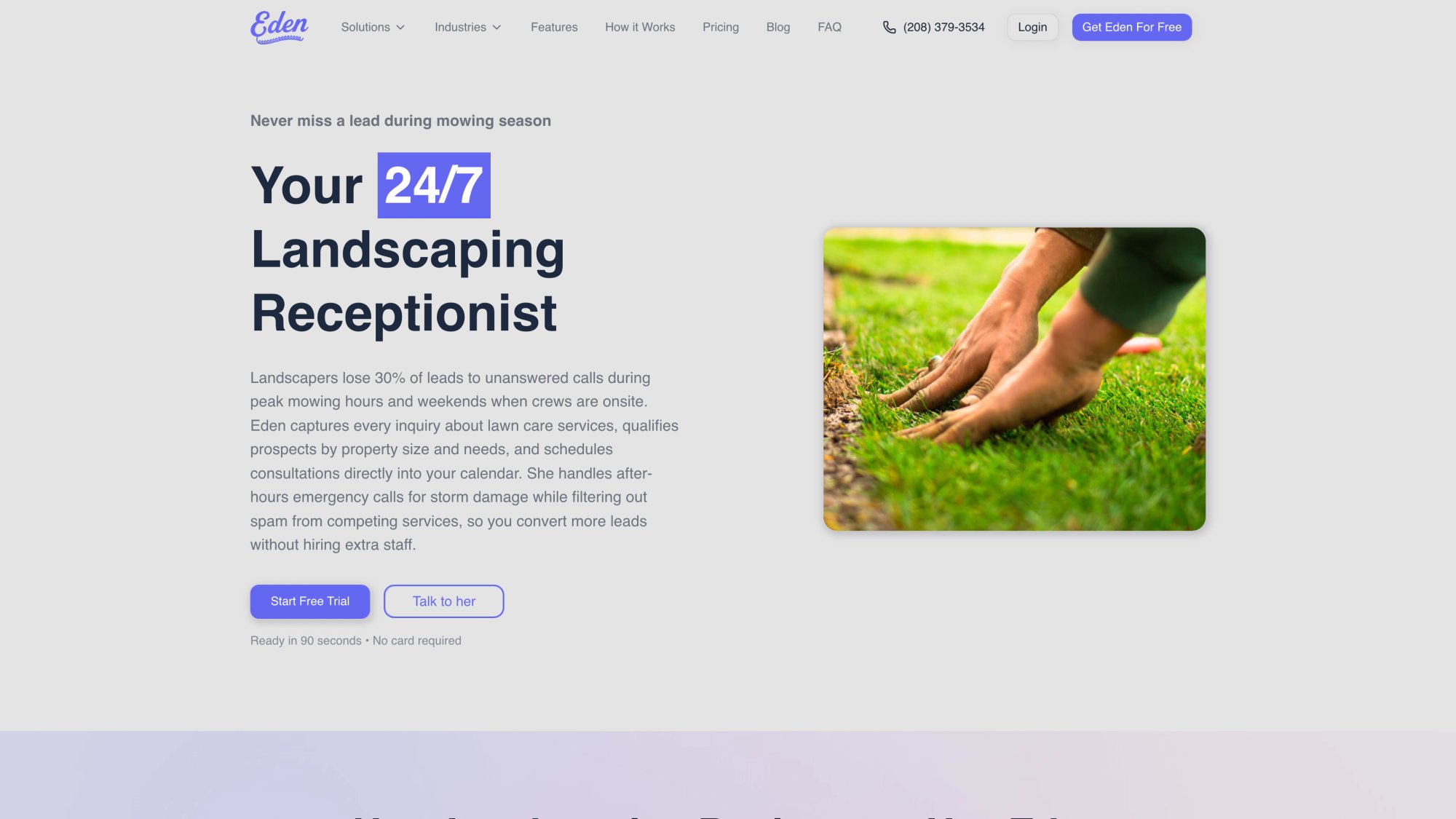
We at Eden have seen landscapers lose around 30% of new leads due to unanswered calls during peak mowing hours and weekends. That aligns with broader studies where ~80% of unanswered callers don't call back at all. They simply move on to the next company.
In a competitive market (lawn care, landscaping, tree services), being unreachable even for a short time can directly translate to lost revenue.
Urgent Jobs Go Elsewhere
Homeowners with an urgent need (a tree limb fell in a storm, the sprinkler system burst) will keep dialing down the list until someone answers.
If you miss that call, you miss the job. Those emergency jobs can be high-ticket: storm cleanups, emergency tree removal, flood mitigation.
After-Hours Inquiries Slip Away
About 35% of service calls come in outside 9 to 5. If a potential client calls on a Friday at 7pm and hits voicemail, by Monday you might find they've already hired another crew.
Speed-to-response wins jobs. Research shows that contacting a new lead within 5 minutes makes them significantly more likely to choose you compared to waiting 30+ minutes.
No landscaper can realistically be by the phone 24/7, but customers now expect instant service.
Voicemail Doesn't Cut It
Hardly anyone wants to "leave a message and we'll get back to you."
Only 1 in 5 callers will leave a voicemail these days. Even those who do aren't very patient. Studies show 93% of people never bother calling back after they hit voicemail.
To many modern customers, an unanswered call equals a sign your business is either too busy or not attentive.
Drain on Existing Customers
It's not just new leads. Existing clients might call with questions ("Can you come a day early because of my party?") or minor emergencies.
If they repeatedly hit voicemail, it erodes their confidence in your reliability. Landscape maintenance contracts are built on trust. Quick communication is part of good service.
Bottom line: Missed calls equal missed revenue.
If you're spending money on flyers, Facebook ads, or SEO to get that phone to ring, a missed call is essentially a marketing dollar thrown away. The average small landscaping or home-service company can be losing tens of thousands per year this way without even realizing it.
What Is AI Receptionist Technology For Lawn Care?#
The traditional options are expensive or impractical.
Hiring a full-time receptionist could run you $3,000+ per month in salary and benefits (around $36k+ a year). Even hiring a human answering service isn't cheap: live virtual receptionist services start around $250/month for ~50 minutes of calls and climb into the thousands for heavier volume.
Plus, humans need lunch breaks, sleep, and can only handle one call at a time.
Enter the AI Solution#
An AI receptionist is basically a voice-based virtual assistant that answers your phone using artificial intelligence. When someone calls your business, the AI picks up instantly, 24/7, and talks to the caller in natural language as if it were a live receptionist.
It can answer questions, capture the caller's details, schedule appointments, even transfer calls to you for urgent issues. All without a human on the line.
Modern AI receptionists sound highly realistic. They use advanced speech recognition and natural language processing to understand callers, and text-to-speech to respond in a pleasant, human-like voice.
There's no "Press 1 for this" phone tree. It's a fluid conversation.
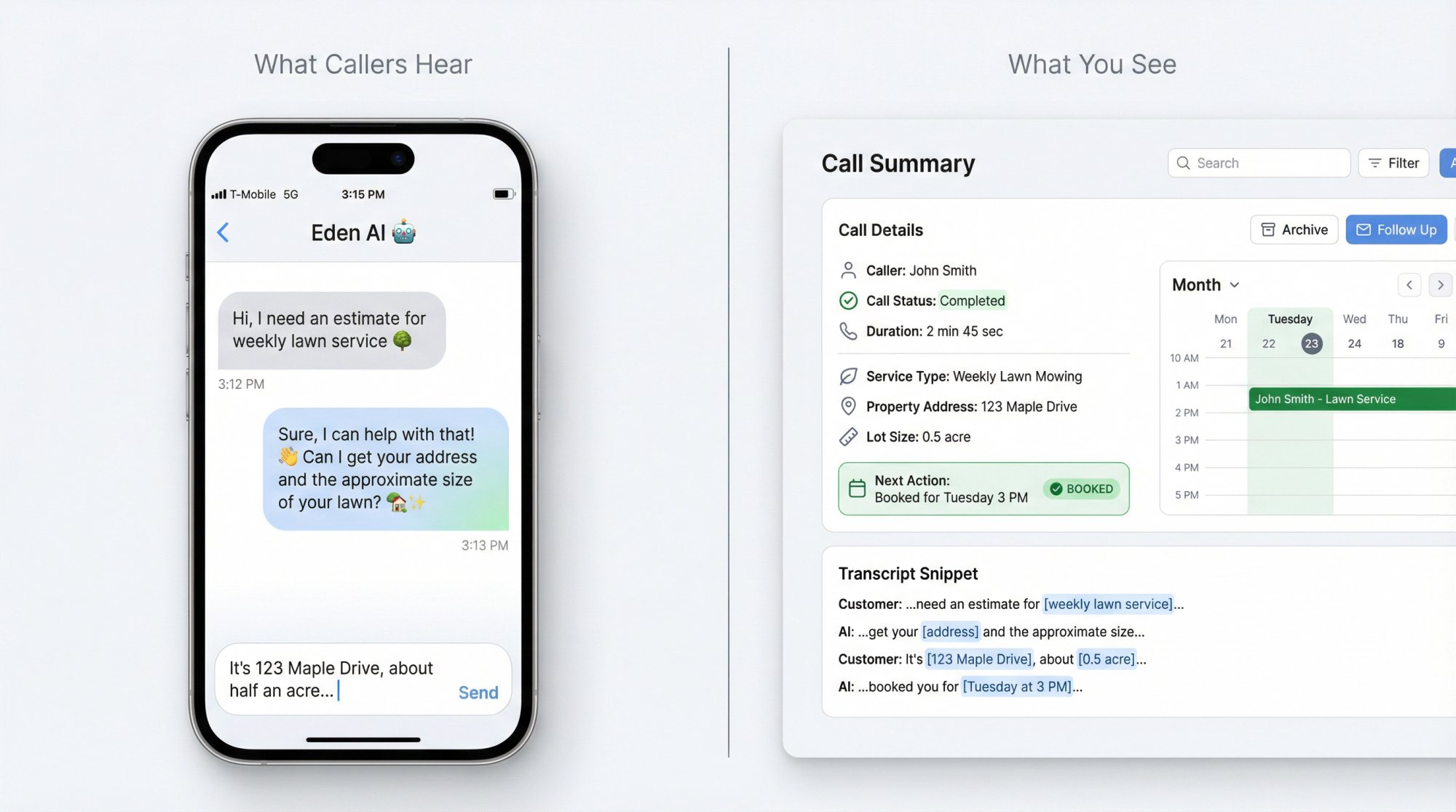
For example, if a new customer calls and says, "Hi, I need an estimate for weekly lawn service," the AI can respond naturally: "Sure, I can help with that. Can I start by getting your address and the approximate size of your lawn?"
It will capture their name, address, what services they need, and even check your calendar to say, "Our estimator can come out tomorrow at 3 PM. Would that work for you?" If they agree, it books the appointment on the spot.
If it's an existing client calling with a question, the AI can answer common FAQs: "Yes, we do offer aeration and overseeding in the fall," or "Our crew was at your property this morning and noted the broken gate. We have it scheduled to fix tomorrow."
It knows these answers because you can give it a knowledge base or it can pull info from your website.
And if the caller has a complex issue or specifically asks for you, the AI receptionist can transfer the call to your cell or take a detailed message, whatever instructions you set.
Always On, Never Tired#
All this happens whether it's Monday 9am or Sunday 11pm. The AI doesn't take holidays, and it can handle multiple calls at once (so two or three customers calling simultaneously won't get a busy signal).
As soon as a call is done, you (the business owner) get a summary via text or email with the caller's info and what they needed. You can also listen to the call recording if needed.
An AI receptionist gives small businesses like landscapers the power of a 24/7, never-tiring phone assistant at a fraction of the cost of staffing a human.
It ensures every caller is greeted professionally and no lead falls through the cracks.
How AI Phone Systems Help Landscaping Businesses#
Landscaping and lawn care businesses have some unique call-handling needs. A good AI receptionist, especially one tuned for service trades, can tackle these in ways a generic voicemail or answering service never could.
24/7 Live Answering#
The obvious benefit: no more calls going to voicemail or unanswered.
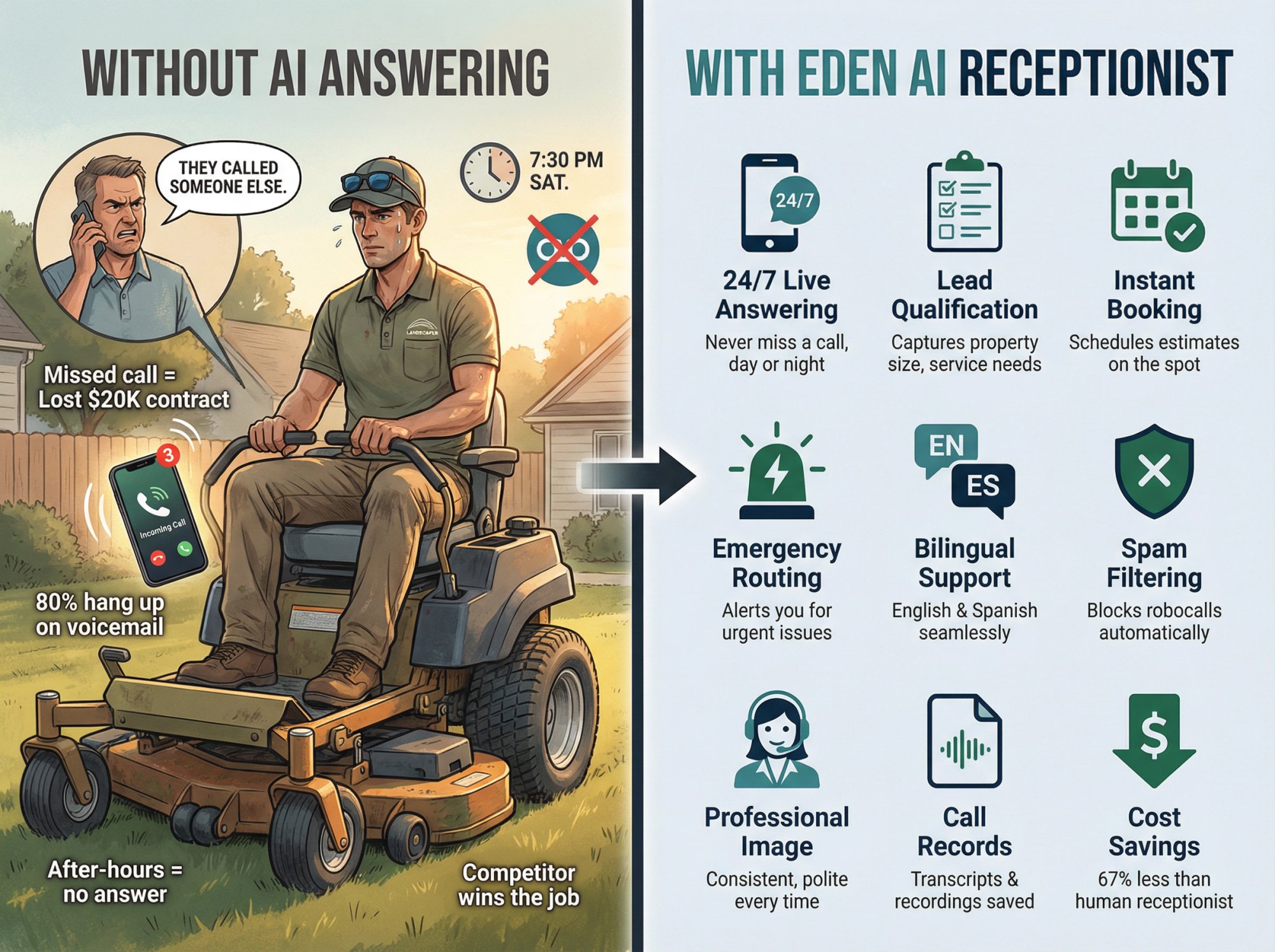
Whether a homeowner calls at 6AM on a Saturday or 9PM on a Tuesday, they get a friendly greeting: "Thank you for calling GreenScape Landscaping, this is Mona. How can I help you today?"
Every caller always reaches a "person" (even if it's AI) ready to assist. This means weekend and evening leads are captured instead of lost.
One landscaping company saw a 40% increase in weekend bookings once an AI receptionist started handling their after-hours calls. Those Saturday morning inquiries that used to go to voicemail were now turning into scheduled appointments in real-time.
Instant Lead Qualification#
Landscapers often need specific info to give an estimate or book a job. An AI receptionist can ask tailored questions to qualify the lead.
For example, it can inquire, "Approximately how large is your lawn or property?" and "What services are you looking for: mowing, landscaping, tree trimming?"
This is huge for separating the serious prospects from the tire-kickers. If someone calls about a major landscape design project, the AI can ask qualifying questions:
• "Is this for residential or commercial property?"
• "What's your budget range for the project?"
Information that helps you prioritize high-value leads.
On the flip side, if someone just wants a one-time mow, the AI notes that. All this info gets logged and sent to you after the call.
Some advanced systems (like Eden) even integrate property data. The AI can estimate lot size based on the address or ask if there are fenced areas or pet issues (to allocate the right crew).
By qualifying leads immediately, you arrive prepared and spend your personal time only on the most promising calls.
On-the-Spot Appointment Booking#
No more phone tag to schedule estimates or service calls.
AI receptionists can tie into your Google Calendar or scheduling tool to offer appointments instantly.
For example, if a new client wants an estimate, the AI might say: "I can book an on-site consultation for you. Looking at the calendar, we have an opening tomorrow at 4 PM or Thursday at 10 AM. Which works?"
If the caller confirms, the time slot is immediately added to your calendar, and a confirmation text or email is sent to the customer.
This is a game-changer. While you're out laying sod, your AI could literally be filling your schedule with new jobs. Many landscapers find their calendars "magically" full of appointments at day's end without personally handling a single booking call.
And for recurring clients, the AI can reschedule services (push this week's mowing to next day due to rain) and send out notifications, all without you having to play phone tag.
Emergency Call Handling#
Storms, accidents, and urgent issues are part of this business.
A good AI receptionist will detect urgent keywords. If someone says "tree fell on my house" or "my yard is flooding," it knows this is an emergency. It can immediately text you or your on-call team, or even warm-transfer the call to your cell if you've set that rule.
For instance, "I'm connecting you to our emergency responder now."
One Texas landscape firm used AI to handle after-hours storm calls and cut their response time from 4 hours to just 22 minutes on average, because the AI instantly alerted the crew with all the details.
Meanwhile, non-urgent calls can simply be handled or scheduled without bothering you until later. This triaging keeps you responsive when it truly matters, without being glued to the phone 24/7.
Multilingual Support#
Landscaping often serves a diverse client base. In many U.S. markets, over 30% of landscaping clients are Spanish-speaking.
AI receptionists like Eden can seamlessly switch between English and Spanish in the same call. If a caller begins in Spanish ("Buenas tardes, ofrecen servicios de jardinería?"), the AI will respond in Spanish and carry the conversation.
This bilingual support can give you a big edge in customer service. It ensures you're capturing leads from a wider pool and treating all callers equally well.
Spam and Scam Blocking#
Landscapers get pestered by spam calls. Whether it's telemarketers selling insurance, Google listing scams, or even competitors sniffing around.
AI receptionists typically come with spam filtering technology that can recognize known robocall patterns, blacklisted numbers, and suspicious callers.
For example, Eden's IntelliSpam™ feature can automatically block calls from toll-free numbers and play a quick goodbye message to telemarketers, saving your minutes.
It even has industry-specific filters. If a "competitor" keeps calling pretending to ask for free estimates to glean your pricing, the AI can learn those patterns and flag or block them.
Importantly, most providers do NOT count blocked spam calls against your usage. So you're not paying for nonsense calls. The result: your phone (and your bill) is freed up for real customers only.
Consistent Professional Image#
An AI receptionist never has a bad day. Every caller gets a polite, professional greeting and consistent info.
You can fully customize the greeting and script to match your brand. For instance, program it to say "Thanks for calling Evergreen Lawn & Landscape, this is Alex speaking."
If you want it to mention a promo ("ask about our summer mulching special!"), you can add that. The tone can be adjusted: friendly for residential lawn care, or more formal for high-end design/build clients.
This gives even a small 2-3 person landscaping crew the appearance of a larger, polished operation. Callers feel taken care of, rather than getting a voicemail or rushed callback.
One owner of a landscaping franchise said after implementing AI, "The phone is always answered promptly with kindness and professionalism, giving us confidence that we're capturing more potential customers."
Many callers even mistake the AI for a real person, which tells you how natural it can sound.
Detailed Call Records and Follow-Up#
With AI handling your calls, you get a full record of every conversation.
Right after a call, you'll typically receive a text or email summary: "Call from Jane Doe at 555-1234: looking for weekly lawn service for ~1 acre property, wants quote; booked consultation for Tue 3PM."
Plus the entire transcript and audio recording are saved in your dashboard.
This means no more scribbling notes on a napkin or forgetting what a caller said. It's all logged. You can search back through transcripts ("sprinkler repair") to find past conversations.
This is super helpful for tracking leads and training your team on common questions. It also provides protection. If there's ever a dispute ("you said on the phone that you'd also trim my hedges for free"), you have the recording to refer to.
Essentially, nothing falls through the cracks: you have a running history of every client interaction handled by the AI.
The Bottom Line: Massive Cost Savings#
All these benefits come without the downsides of a human receptionist. No salary, no sick days, no missed calls because 5 people rang in at once.
Research shows businesses that implement AI receptionists see significant savings: cost reductions of ~67% in reception/phone handling costs on average.
Instead of paying a full-time $40k/yr salary, you might pay $50-200/mo for an AI service. That's a 60 to 90% cost saving while actually improving availability.
And with AI, capturing just one extra landscaping project can pay for months or the whole year of service.
Must-Have Features When Choosing AI Reception Software#
Not all AI receptionist services are equal. When evaluating the best AI receptionist for your landscaping business, look for these key features and capabilities.
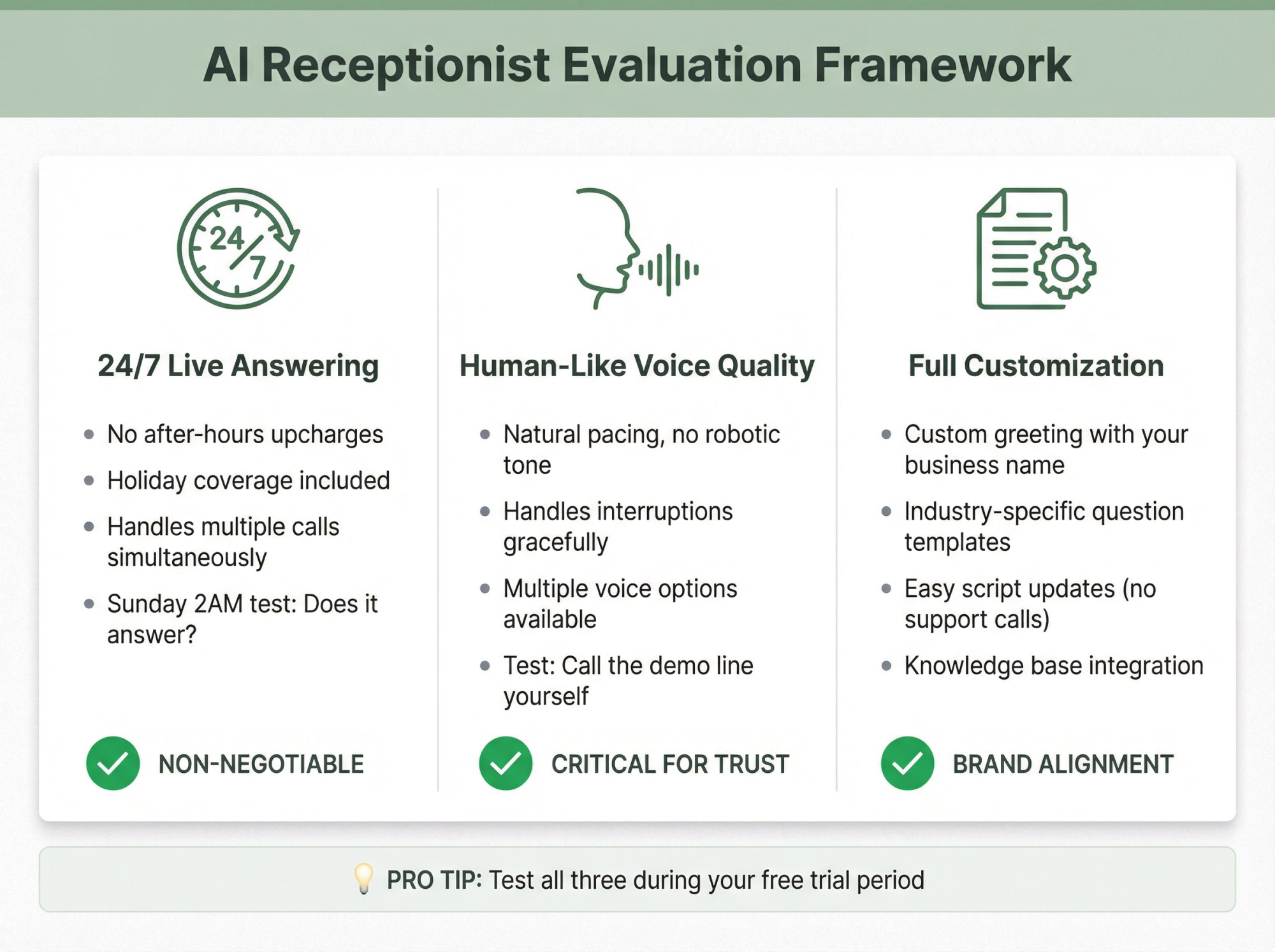
1. 24/7 Live Answering (No Exceptions)#
Non-negotiable: the service must handle calls any time, day or night, without extra fees for after-hours.
Landscaping leads don't just call 9 to 5, and emergencies definitely don't keep business hours. Ensure the AI will be active and answering whether a customer calls at 2 PM or 2 AM on a holiday.
The top providers include 24/7 coverage by default. If any service has "limited hours" or charges more at 10 PM, that's a red flag.
Ask point blank: "If someone calls me at 11 PM on Sunday, will the AI pick up?" The answer needs to be yes, always.
2. Natural, Human-Like Voice#
This might sound obvious, but call the demo line of any AI receptionist service you're considering and listen to the voice.
The quality varies. The best AI receptionists in 2025-2026 sound remarkably human-like: friendly, clear, with good pacing. Poor ones still have that robotic or monotone vibe that can frustrate callers (and frustrated callers hang up, defeating the purpose).
Pay attention to how the AI handles a conversation:
→ Is there a long awkward pause before it responds, or is it pretty snappy?
→ Can it handle if you interrupt or change topic mid-sentence?
→ Does it sound natural or stilted?
A quick test: call and maybe talk over it a bit (humans do that). See if it gracefully adjusts or if it gets confused.
You want a voice that represents your business well. Fortunately, many providers now offer multiple voice options. You might even choose a pleasant female voice or a specific accent that fits your locale.
3. Customizable Greeting, Scripts, and Questions#
Your landscaping business is unique. Your AI receptionist should adapt to you, not be a one-size-fits-all script.
Look for customization like:
Custom Greetings
You should be able to set the exact welcome message. For example: "Thank you for calling Sunset Landscaping, this is Lisa. How can I assist you today?" Include any intro info you want (family-owned, servicing certain counties, etc.).
Industry-Specific Prompts
You'll want to add custom questions relevant to landscaping. For instance, Eden lets you insert questions like "Can I get an idea of your property size or acreage?" or "Is this a one-time project or ongoing maintenance?" right into the call flow.
This way, the AI gathers the same info you'd ask if you answered live. If you do snow removal in winter, you might add, "About how long is your driveway?"
If a service doesn't allow adding questions or tailoring the script, you might end up with generic intake that misses details you care about.
Knowledge Base / FAQs
The ability to feed the AI information about your business (services, pricing, policies) is crucial. The better systems allow you to upload FAQs or link your website so the AI can answer questions like "Do you offer commercial services?" or "Are you insured?" accurately.
This saves you time. You're not constantly answering basic questions; the AI does.
Easy Updates
Make sure you can easily update your script and settings through a dashboard at any time (change your greeting seasonally, add a new question about holiday light installation in winter). You shouldn't have to contact support to tweak a line of the script.
The AI should feel like it's truly representing your company: using your terminology and asking the things you need asked.
4. Appointment Scheduling Integration#
This is massively valuable for landscapers: the AI's ability to book appointments or estimates directly.
Ensure the service can sync with your calendar: Google Calendar and Outlook integration are common, some also integrate with industry software like Jobber or Housecall Pro.
During your free trial, test this: have someone call in and try to book an appointment through the AI, then confirm it shows up correctly on your calendar with all the details.
The AI should also be able to send a confirmation text/email to the customer automatically, which reduces no-shows.
For example, if you offer free estimates, the AI should block out a 30-minute slot and include the customer's address in the calendar event. Or if you do on-site jobs, maybe it schedules the job and collects any necessary info (gate codes, etc.).
Some systems can even handle sending a scheduling link by SMS if the caller prefers to pick a time themselves. A nice bonus feature for tech-savvy clients.
Without scheduling, an AI receptionist is basically just a message taker. With scheduling, it becomes a true assistant that can fill your pipeline automatically.
Note: a few AI services might restrict this to higher-tier plans, so double-check if it's included in the plan you're evaluating.
5. Intelligent Call Routing & Escalation#
Not every call should end with the AI. Sometimes you or your team need to step in during the call.
Good AI receptionist platforms offer call routing options such as:
Warm Transfers
The AI can place the caller on hold, call you (or a staff member) first to explain who's on the line, then connect the call.
This "warm transfer" is great for urgent issues or VIP clients. For example, if a commercial client calls about an active irrigation leak, the AI might ring your phone and when you answer say, "I have John from ACME Properties on the line, he reports a major leak, would you like to take the call?" This gives you context before connecting.
Conditional Routing
You can set rules like "if caller says 'emergency' or mentions 'tree down', then immediately call my cell; if it's a quote request, the AI handles scheduling; if it's billing question, direct them to leave a message or send to office manager's line."
This kind of logic ensures the right calls reach the right person. Maybe you have an office assistant for billing issues. The AI could transfer those to that person's line or voicemail.
Multiple Contacts & Departments
If you have a slightly bigger operation, you might designate different on-call people: Sales (for new inquiries), Operations (for issues on current jobs), Emergency Crew (for after-hours problems).
The AI should be able to route to different numbers depending on context. Some services let you set up a list like "If I'm unavailable, try my field supervisor." This is useful if you're not a one-man band.
Immediate Alerts
At minimum, ensure the system will send you an instant SMS/email for urgent messages.
Most do for any call summary, but some can put priority tags. For example, Eden tags urgent storm calls and alerts the crew by SMS right away. You want to know ASAP if the AI had to take an emergency message so you can act on it.
Test a couple of scenarios during your trial: pretend to be a panicked customer with an emergency and see if you get notified or rung through correctly.
The best AI receptionist is one that can triage like a skilled human: handling routine stuff fully, but noticing the red-flag calls and looping you in at the right moment.
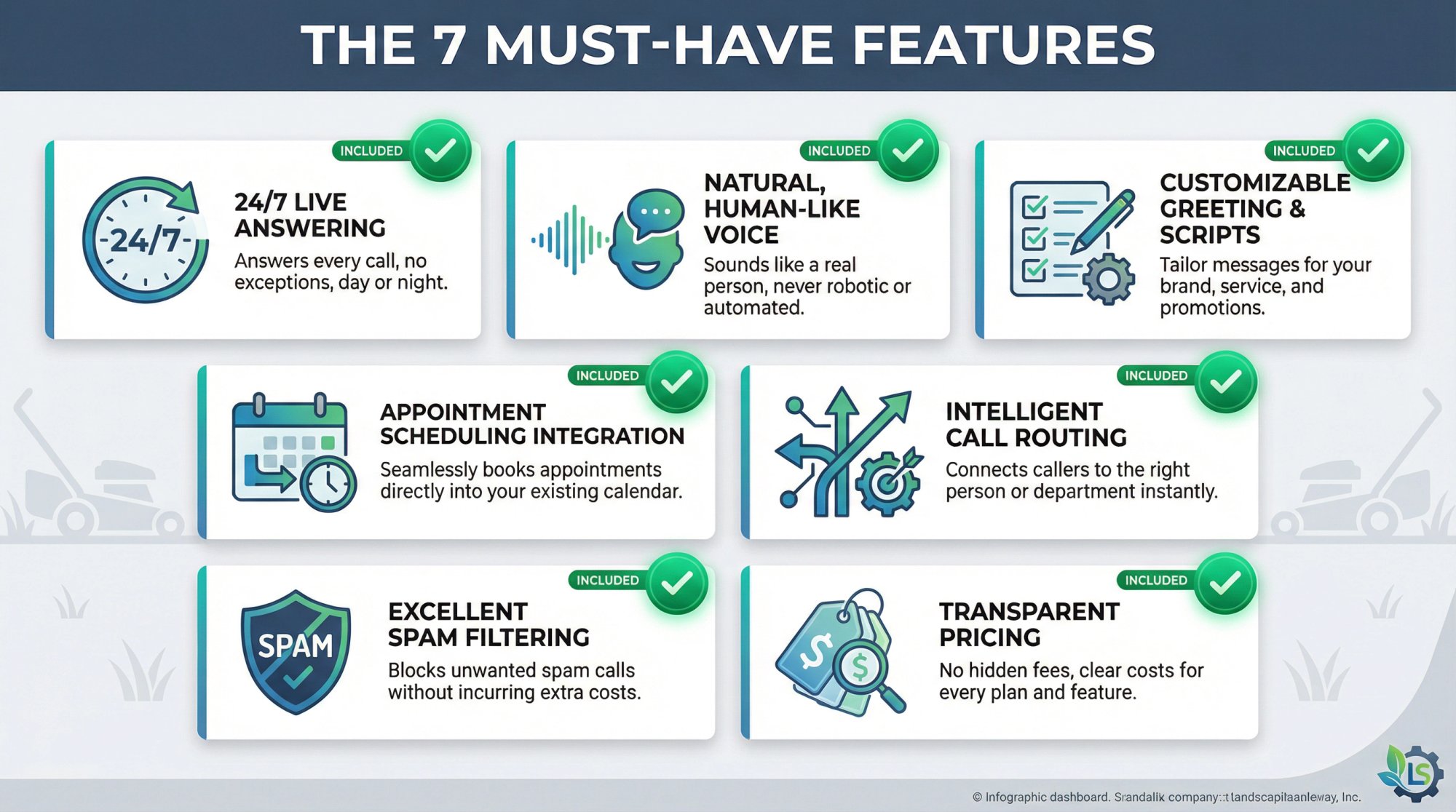
6. Excellent Spam Filtering#
We touched on this earlier, but it's worth its own checkbox.
Verify that the AI service has built-in spam call filtering and what that entails. Ideally it should:
① Auto-block obvious robocalls (those silent ones or the "Your car warranty..." recordings)
② Recognize known spam patterns and numbers (some maintain a blacklist of spam callers)
③ Allow you to manually blacklist numbers (if a particular scam keeps targeting you, you can add that number)
④ Not charge you for spam calls
Many AI receptionist plans explicitly don't count spam calls against your minutes or call tally. For instance, Eden's unlimited plans include spam filtering "free" and on metered plans they don't charge for blocked calls.
This is actually a big deal because spam can be significant. Some small businesses report 20% or more of incoming calls are junk. Without filtering, you'd be paying for AI to answer telemarketers.
With a good filter, those calls never bother anyone. Plus it saves you the annoyance of listening to spam voicemails or scam messages.
Confirm the service has a strong spam shield and check if they mention anything specific for your industry (as noted, Eden even filters competitor fake-calls in landscaping).
7. Transparent, Scalable Pricing#
Cost is obviously a factor, and AI receptionist pricing can be structured in a few ways.
Key things to look for:
Plan Type
Are they charging by minutes, by number of calls, or a flat rate unlimited?
For example, some charge purely pay-as-you-go (e.g. $0.25 per minute or per call). Others have packages like $95/month for 50 calls then tier up. And some, like Eden or similar services, offer flat monthly rates (e.g. $99 for unlimited calls).
Figure out which model fits your call volume. Flat rates are great if you expect a lot of calls or just want predictability (no surprise bills). Per-call or minute might be fine if you only get a few calls a week (but can get very expensive if your volume spikes unexpectedly).
Included vs Overage
If the plan includes X minutes or calls, what happens if you go over? Is there a per-minute charge beyond that? Make sure you know, so you're not shocked by a busy season bill.
Also, see if spam calls are excluded from counting (as discussed).
Tier Features
Sometimes the cheaper plan might not include a crucial feature (for instance, some basic plans won't have calendar integration or call transfer).
For example, some services have a low advertised rate but that's only if you pay annually and it's a limited feature set. The more robust features may require the higher plan.
Eden's Plus vs Pro plans, for instance, unlock things like call transfers and advanced knowledge base at the higher tiers.
Contracts
Prefer services that are month-to-month. Most AI receptionist providers these days are, but a few require annual commitments (or discount heavily if you commit). Month-to-month gives you flexibility to switch if it's not working out, or scale up/down seasonally.
Setup Fees
Check if there's any setup or onboarding fee. Some older-school providers have a one-time setup charge. Many newer ones waive this or have none. Worth noting.
Trial Period
Definitely take advantage of free trials (almost all offer at least a week or two, or certain free call minutes). During the trial, push the system to see if it's worth it before you commit fully.
For context, most AI receptionist services for small businesses range from about $50 up to $300 per month depending on the plan.
On the lower end might be basic or limited-call plans; on the higher end are unlimited use or enterprise features. This still pales in comparison to a human service. Remember, a live virtual receptionist can easily run $500-$1000/month for moderate usage.
Even the priciest AI option is usually cost-justified if it saves even one decent job. In fact, an AI service often pays for itself by capturing just one additional project a year that you would have missed.
Evaluating AI Receptionist Services: What to Look For#
When choosing an AI receptionist for your landscaping business, you'll want to evaluate services based on several critical factors. Here's what separates the great options from the mediocre ones:
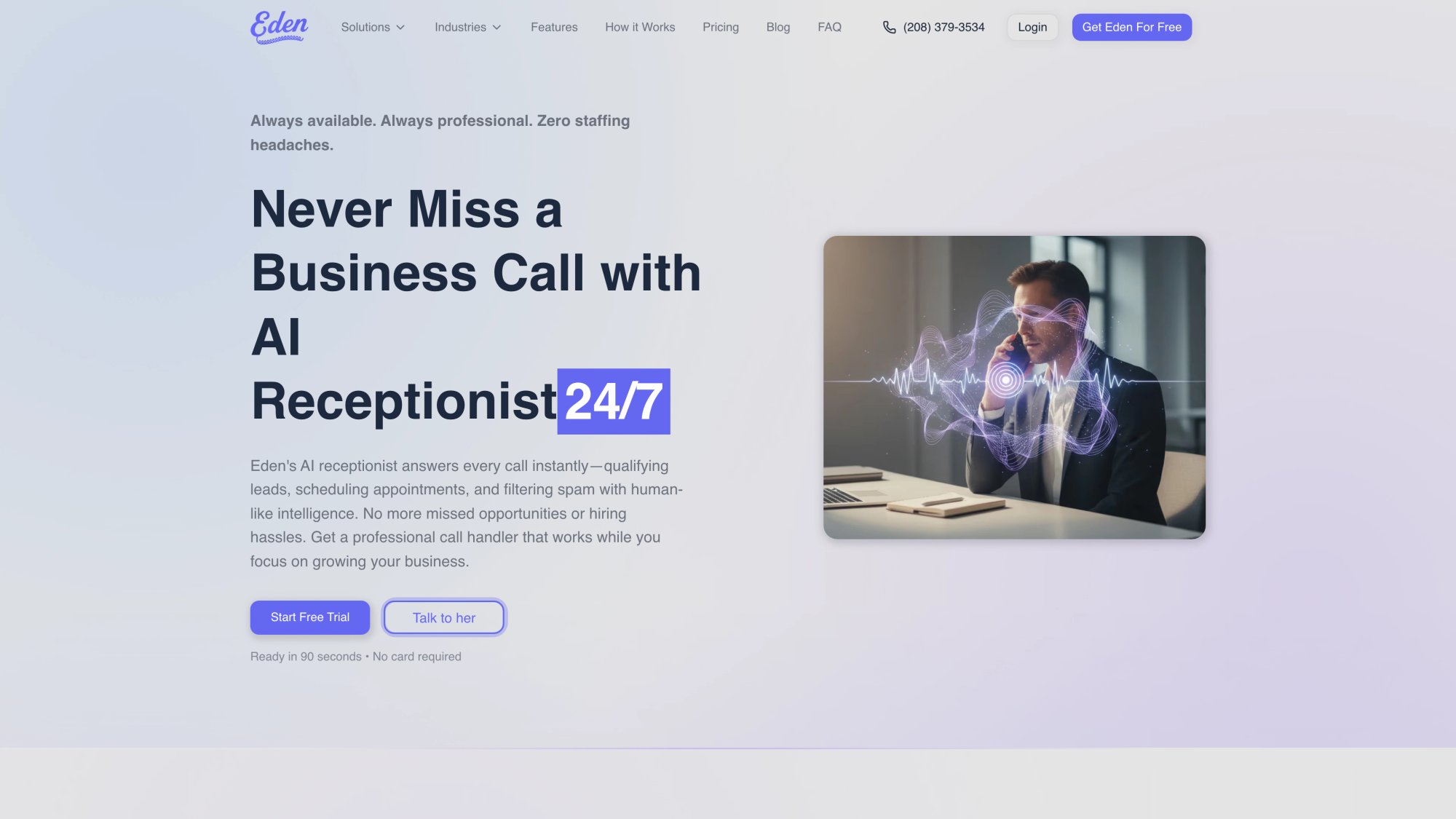
Eden AI Receptionist (Purpose-Built for Field Services)#
Eden was designed specifically for field service businesses like landscaping, with industry-specific intelligence built in.
Pricing:
| Plan | Monthly Cost | Minutes Included | Best For |
|---|---|---|---|
| Plus | $39 | 200 minutes | Very small operations testing the waters |
| Pro | $99 | Unlimited | Most landscapers with moderate to high call volume |
What Makes Eden Stand Out:
The AI automatically asks callers things like property size, service type (from lawn mowing to hardscaping), and can recognize landscaping emergencies vs routine calls.
The AI can even detect when a caller mentions terms like "HOA notice" or "fence line" and tailor responses accordingly (drawn from a knowledge base of common landscaping scenarios).
Key Features:
• Two-way calendar sync (Google/Outlook) for on-the-spot booking
• Intelligent call routing (you can set an emergency crew contact, etc.)
• Bilingual English/Spanish built-in
• Fast onboarding (scrapes your website to auto-learn your services in minutes)
• IntelliSpam™ filtering (blocks spam "free estimate" competitor calls and robocalls)
It's a newer entrant (launched in 2025) but already used by 100+ businesses and specifically tuned to home services and contractors.
Why Landscapers Love It:
Many small landscapers appreciate that Eden's Pro plan is a flat $99 with unlimited usage. You won't get surprise bills even if spring season calls double.
If you want a ready-to-go solution for landscaping without much tinkering, Eden is a top choice.
Comparing Pricing Models#
Landscapers get burned by pricing models when they don't match call reality.
The Three Models You'll See:
| Model | How It Works | Best For | Risk Factor |
|---|---|---|---|
| Per-Minute | Pay for talk time | Short calls, low volume | Long calls and seasonal spikes hurt |
| Per-Call | Monthly call bundles | Short, consistent calls | Peak season can blow past caps |
| Unlimited | Flat monthly rate | Variable volume, long calls | None (predictable cost) |
The Simple Landscaper Rule of Thumb:
• If you expect big seasonal swings: prefer unlimited
• If you run steady year-round and calls are short: per-call can work
• If you do high-ticket, long conversations: unlimited or human may be better
Research shows that 96% of home service consumers say response time influences purchasing decisions. The pricing model you choose should support answering every call, not limit it.
What to Test During Your Free Trial#
When evaluating any AI receptionist service, actually test it during the trial period:
Week 1 Checklist:
□ Run at least 5 test calls with different scenarios
□ Test Spanish language switching (if applicable)
□ Verify spam calls are being blocked
□ Check emergency call routing works
□ Review all transcripts for accuracy
□ Confirm calendar bookings sync correctly
□ Test warm transfers if you set those up
The Best Teams Measure 4 Metrics Weekly:
① Answer rate (should be ~100% if forwarding correctly)
② Lead completeness (% of calls with address + service type)
③ Booking rate (estimates booked / new leads)
④ Speed to human follow-up (median minutes)
If you improve only one metric, improve speed to follow-up, because response time drives purchase decisions.
How to Set Up AI Phone Answering For Your Landscaping Business#
Most people fail with AI receptionists for one reason: they install it like a "phone answering tool," not like a revenue system.
Here's the landscaper-grade setup.
Step 1: Decide Your "Non-Negotiables"#
Write these down before you touch settings:
• Service area rule: zip codes / radius / cities served
• Services offered: mowing, fertilization, mulch, spring cleanup, irrigation, hardscape, snow removal (whatever applies)
• Booking rule: Do you allow the AI to book estimates? Or should it only collect availability windows and you confirm?
• Transfer rule: What gets forwarded to a human right now? Examples: active flooding/irrigation leak, commercial emergency, "I'm ready to sign today," existing customer complaint
• Pricing rule: Never quote exact prices unless your pricing is truly fixed
Step 2: Build Your "Intake Form" Like a Pro Dispatcher#
For New Leads, Collect:
① Full name + callback number
② Service address (confirm spelling)
③ Service needed (pick list)
④ Property type: residential / commercial / HOA
⑤ What's the timeline? (today / this week / flexible)
⑥ Best times for estimate (2-3 windows)
⑦ How they heard about you (optional but helps marketing)
For Mowing Leads, Add:
• Lot size (approx) or "standard city lot / corner lot / acreage"
• Gate/access notes
• Pets (dogs) / locked gate
For Cleanup Leads, Add:
• Leaf cleanup vs brush haul-off vs storm debris
• "How many bags/piles?" (rough)
• Photo text request (optional)
For Hardscape/Design Leads, Add:
• Project type (paver patio, retaining wall, lighting, drainage)
• Budget range (optional, but powerful)
• Timeline (this month vs this season)
Step 3: Write the "Pricing Language" That Prevents Disasters#
A common trap with any AI receptionist is over-precision on pricing.
For landscaping, use patterns like:
• "Most weekly mowing for typical residential yards is in a range*, and final pricing depends on lot size, slope, and trim/edge needs."*
• "For cleanups, pricing depends on volume and access. We can give a firm quote after a quick look or photos."
Step 4: QA Like You're Training a New Office Manager#
Do not "set it and forget it."
Run a 7-day test with 10-20 calls:
• 5 fake leads from friends (different accents + different services)
• 5 real callers during normal operations
• 2 Spanish calls (if applicable)
• 3 spam/sales calls (to test filtering)
Then adjust:
• Add clarifying questions where callers commonly confuse the AI
• Tighten transfer rules (stop unnecessary transfers)
• Improve service-area gating ("We only serve X. Would you like us to refer you?")
Step 5: Define Your Follow-Up SLA#
AI answering doesn't close jobs by itself. Your follow-up speed and consistency do.
Given how strongly response time influences home service purchase decisions, set an internal SLA like:
• Hot leads: call back within 5-15 minutes
• Normal leads: same business day
• After-hours leads: next morning before 9:30
That 96% stat from research is why the SLA matters.
Common Questions About AI Receptionists for Landscapers#
Do I need to change my phone number?#
Usually no. Most services work by forwarding your existing number to the AI receptionist (all calls or when unavailable).
Eden's positioning emphasizes fast setup and call forwarding as part of onboarding. You typically dial a code (like *71 followed by the AI's number) or toggle a setting in your phone app. It's generally straightforward and providers usually give you screenshots or even the exact codes.
Your customers keep calling the same number they always have.
What if callers hate talking to AI?#
Two things help dramatically:
① A natural greeting and clear "how can I help?" opening
② A fast path to a human transfer for high intent or confusion
The best AI receptionists sound so natural that many callers don't even realize they're talking to AI. And for those who do notice or prefer a human, you can set rules to transfer them immediately.
How do I handle pricing questions?#
Never let the AI quote exact prices unless your pricing is truly fixed (like a flat-rate $X per mow).
For variable pricing, program the AI to say: "Our pricing depends on factors like property size and specific services needed. I'd be happy to schedule a free estimate where we can give you an exact quote."
This keeps you from accidentally underpricing or overpricing based on incomplete information.
What about call recording laws?#
Call recording consent laws vary by state. Many states are "one-party consent," but some require all parties to consent.
A common safe approach is to disclose recording at the start of the call. Use a brief disclaimer: "This call may be recorded for quality and training."
Most AI receptionist platforms include this as a configurable option.
Can it handle both commercial and residential calls?#
Yes, with proper configuration.
You can program the AI to ask: "Is this for a residential property or commercial?" Then route or tag accordingly. Commercial calls might get different questions (property manager contact, facility size) than residential.
How does spam filtering work?#
Most AI receptionists use a combination of:
• Known robocall pattern recognition
• Blacklisted number databases
• Toll-free number blocking (many spam calls come from 800 numbers)
• Machine learning to detect suspicious behavior
Eden's IntelliSpam™ feature, for example, can recognize and hang up on sales calls automatically, and those blocked calls don't count against your minutes.
What happens during busy season when call volume doubles?#
This is where unlimited plans shine. With Eden Pro at $99/month unlimited, call volume spikes don't change your bill.
With per-call plans, you might blow past your bundle and incur overage charges. That's why seasonal businesses like landscaping often prefer flat-rate unlimited options.
Can I pause it in winter if I do seasonal work?#
Most services are month-to-month, so yes. If you only do spring/summer/fall work, you could theoretically pause during slow months.
But many landscapers keep it running year-round because:
• Winter snow removal inquiries come in
• Existing customers call about spring scheduling
• The cost is low enough that it's worth maintaining year-round availability
How long does setup really take?#
With Eden, the marketing says "ready in 5 minutes." Realistically, give yourself 30 minutes to an hour to configure and test thoroughly.
You'll spend time:
• Entering your business info and services
• Customizing greeting and questions
• Connecting your calendar
• Setting up call forwarding
• Running test calls
It's not a heavy lift, and you can tweak settings anytime as you discover needs.
Why This Matters Now#
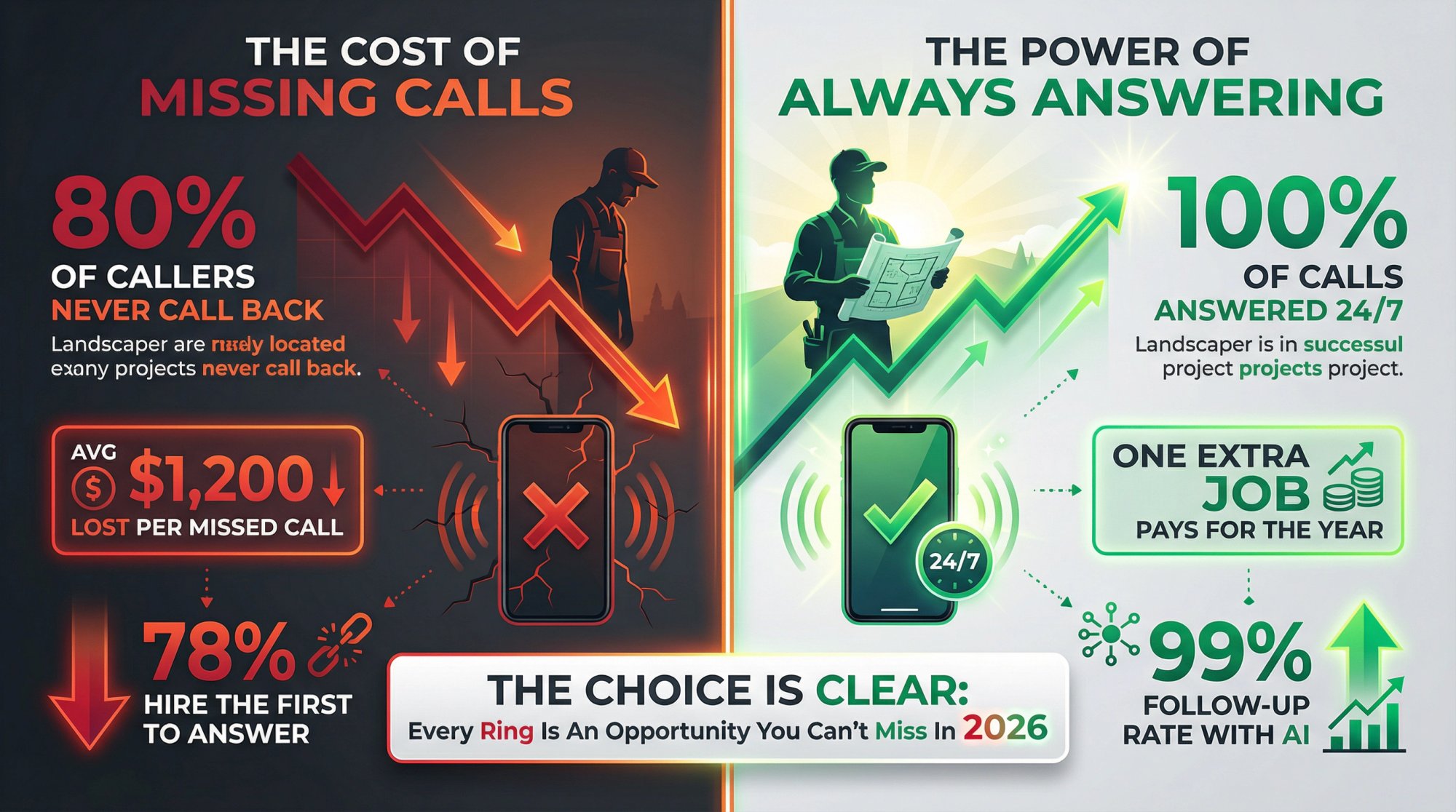
Every missed call is lost revenue.
For landscaping businesses, where 78% of customers hire the first company that responds, being unreachable even for a few hours can cost you thousands of dollars in lost contracts.
Voicemail doesn't work. Only 1 in 5 people leave messages, and 93% never call back.
AI receptionists solve this problem by answering every single call, 24/7, capturing lead details, booking appointments, and routing emergencies to you instantly.
For most landscapers, Eden offers the best combination of landscaper-specific features, unlimited calling (on Pro plan), bilingual support, and spam filtering at a price point that pays for itself with one captured job.
But whatever service you choose, implementing an AI receptionist in 2026 is no longer optional if you want to stay competitive. It's like adding a tireless office staff member who works around the clock for a fraction of the cost of a human.
Ready to stop missing calls?
Try Eden free with 30 minutes of call time for 1 week. No credit card required. Set it up in less than 30 minutes and start capturing every lead, even while you're on the mower.
Because in landscaping, every ring is an opportunity. And now you can be sure you're seizing it.
Ready to Transform YourCustomer Experience?
Join hundreds of businesses using Eden AI to handle calls, book appointments, and provide 24/7 customer support.