What Is Automated Customer Service? Complete Guide (2025)
What is automated customer service? Complete 2025 guide covering AI receptionists, chatbots, phone systems, and how small businesses automate support.
November 27, 2025
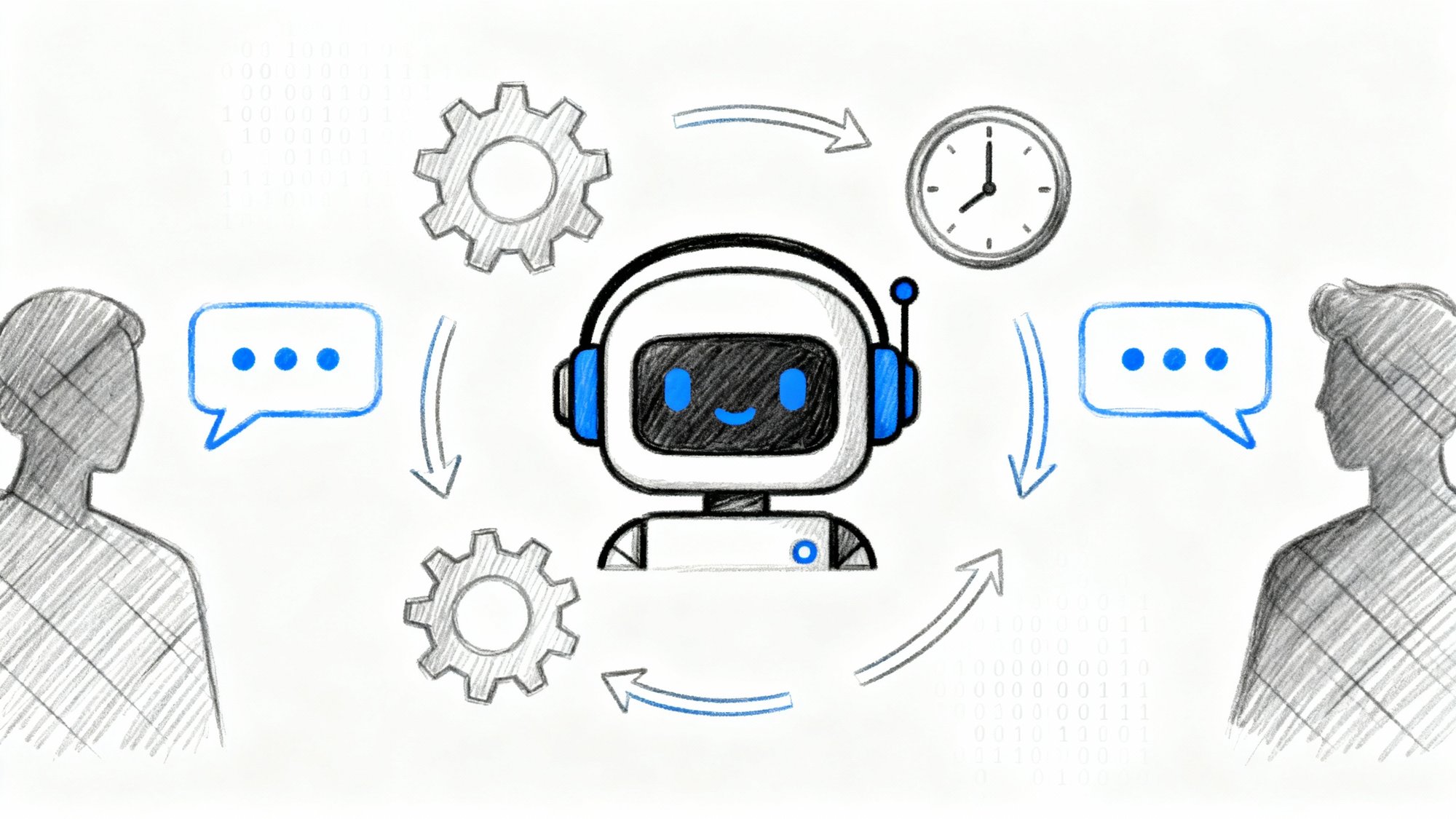
Your phone is ringing off the hook. Again.
You're helping a customer, and three calls go straight to voicemail. Later, you check those messages and find one was a high-value lead who's probably already called your competitor. Another was a simple scheduling question that could've been answered instantly. The third? Just a robocall wasting space in your inbox.
Automated customer service is the technology-driven solution that handles customer interactions without requiring a human to pick up every time. It's the AI chatbot that answers website questions at 2 AM. It's the phone system that routes calls to the right department. It's the AI receptionist like Eden that answers your business line 24/7, speaks naturally with callers, and captures every lead without you lifting a finger.
At its core, automated customer service means using software instead of staff to handle support interactions. This can involve AI phone systems, chatbots, self-service portals, automated email responses, and smart call routing. The goal? Resolve customer issues with minimal or no human intervention.
What makes today's automation different from the frustrating phone trees of the past? Artificial intelligence. Modern systems understand natural language, learn from interactions, and respond like actual humans. When someone calls your business and reaches Eden's AI receptionist, they hear a warm, natural voice that can answer questions, book appointments, and transfer calls to the right person.
Research shows that 90% of customer experience leaders believe that within a few years, 80% or more of support issues will be resolved without human involvement. That's not a distant future. It's happening right now with AI-powered customer service automation.
How Does Automated Customer Service Work?#
The mechanics aren't complicated. Here's what happens when a customer reaches out:
Someone contacts you with a question or issue. Maybe they're chatting on your website, calling your phone line, or sending an email. The channel doesn't matter, automation works across all of them.
The system interprets what they need. Using natural language processing, the AI figures out what the customer wants. If they type "Where's my order?" into a chat widget, or call and say "I need to schedule an appointment," the system recognizes the intent. For phone calls, voice recognition technology transcribes and analyzes their words in real time.
It decides how to respond. Based on the recognized intent, the automation triggers the appropriate action. This might mean:
• Pulling information from a database (checking order status)
• Providing an answer from your knowledge base
• Walking through troubleshooting steps
• Booking an appointment directly
• Transferring to a human when needed
The system delivers the solution. For simple inquiries, the AI handles everything. When a caller asks Eden about your business hours, it answers immediately using information from your profile. If someone needs to book an appointment, Eden can check your calendar and lock in a time slot, all through natural conversation.
It learns and improves over time. Advanced systems use machine learning to refine their responses. When Eden encounters a question it can't answer perfectly, that interaction helps improve future responses. Over hundreds of calls, the system gets smarter.
Here's a real example: A potential customer calls your plumbing business at 9 PM with a leak emergency. Your AI receptionist answers instantly, gathers details about the urgency and location, checks if you offer emergency service, and either books an early morning slot or connects them to your on-call tech. All of this happens without you touching your phone. The customer gets help immediately instead of leaving a panicked voicemail that you won't hear until morning.
7 Types of Automated Customer Service Systems#
Let's break down exactly what this looks like in practice.
Businesses use several different automation tools, often combining multiple approaches:
AI Chatbots and Virtual Assistants#
These conversational programs live on websites, in messaging apps, and on phone lines. Modern AI chatbots can handle complex requests using large language models, not just canned responses from a script. An e-commerce site might deploy a chatbot that tracks orders, processes returns, and answers product questions instantly.
By late 2025, over 80% of businesses are expected to use chatbot automation for customer interactions. The technology has improved dramatically. If the bot can't help, good systems connect you to a human seamlessly.
Phone Systems and AI Voice Agents#
Traditional phone menus ("Press 1 for Sales...") are giving way to something much better. Conversational IVR uses speech recognition so callers can just say what they need in plain English. Better yet, AI voice agents can hold full conversations with natural-sounding voices.
For instance, when someone calls a business using Eden, they speak with an AI receptionist that sounds genuinely helpful, not robotic. The system can answer FAQs, gather caller information, book appointments, and transfer calls when human help is needed. Eden even speaks both English and Spanish fluently, switching languages naturally during the conversation.
Research shows that 57% of service professionals believe automated voice assistants will become a top customer communication channel in the near future. The shift from frustrating phone trees to intelligent voice agents is accelerating.
Self-Service Knowledge Bases#
Sometimes the best automation is giving customers the tools to help themselves. Online help centers, FAQ sections, video tutorials, and troubleshooting guides let people find answers instantly without contacting support.
Smart search makes this even better. Type a question into a support center and the system suggests relevant articles immediately. Studies show that 61% of customers prefer self-service resources for simple problems rather than contacting a live agent. It's faster for them and reduces load on your team.
Automated Messages and Notifications#
Auto-responders aren't glamorous, but they're incredibly useful. When someone emails your support address, an immediate reply confirming receipt and providing a ticket number gives peace of mind. When a customer places an order, automated texts keep them updated on shipping status.
Proactive automated notifications improve service too. Send appointment reminders automatically. Alert customers when service is restored after an outage. These small touches keep people informed without tying up staff time.
Smart Ticket Routing and Workflow Automation#
Behind the scenes, automated ticketing systems categorize and assign incoming requests instantly. An email about billing gets routed to the billing team. A message in Spanish goes to a Spanish-speaking rep. High-priority cases escalate automatically.
This intelligent routing ensures customers reach the right help faster. Automation also handles repetitive admin work: logging interactions, sending follow-up surveys, and tracking resolution times without manual effort.
The key across all these tools? Identifying which tasks make sense to automate (FAQs, scheduling, basic requests) and which require human judgment (complex issues, sensitive situations, creative problem-solving).
Why Businesses Use Automated Customer Service#
Here's what this means for your business in concrete terms.
When implemented properly, automated customer service delivers tangible advantages for both businesses and customers:
You're available 24/7 without hiring night shifts. Automation doesn't sleep. A chatbot answers website questions at 3 AM. An AI receptionist like Eden picks up after-hours calls instead of letting them hit voicemail. You capture weekend leads and holiday inquiries that would otherwise be lost.
For small businesses, this is transformative. You essentially have an always-on receptionist ensuring no call goes unanswered, even when you're closed or busy. Being available around the clock improves satisfaction and captures opportunities competitors miss.
You handle more volume without proportional costs. A single AI agent can manage hundreds of simultaneous chats. An automated phone system handles multiple calls at once, while a human agent handles one at a time. This efficiency means a small support team can serve a much larger customer base.
By automating routine questions (password resets, order status, basic how-tos), your human staff focuses on complex, high-value issues. Analysis found that two-thirds of customer service tasks could be automated with AI tools, illustrating huge efficiency potential.
Your support costs drop significantly. Because automated services handle interactions that would require paid employee time, they reduce labor costs. There are upfront software costs, but in the long run a bot answering 1,000 questions costs a fraction of hiring enough staff for the same volume.
Even when you keep live agents, automation shortens interactions by pre-collecting information or helping agents find answers faster. Companies deploying AI chatbots and virtual agents have seen support cost reductions of 20-30% or more.
| Metric | Without Automation | With Automation |
|---|---|---|
| After-hours coverage | Voicemail only | Live AI response |
| Simultaneous interactions | 1 per agent | Hundreds per bot |
| Average response time | Minutes to hours | Instant |
| Cost per interaction | $5-15 (human) | $0.15-0.50 (AI) |
Responses are consistent and accurate every time. Humans have bad days. They might give wrong information by mistake or handle similar requests differently. Automated systems deliver the same correct information and follow the prescribed process every single time, exactly as programmed.
This consistency means customers get reliable answers. Automation also enforces best practices, like always logging tickets or always asking for satisfaction ratings.
Customers get help faster. Nobody likes waiting on hold or waiting days for an email reply. Automation reduces wait times dramatically. Customers get instant answers to common questions via self-service. If they need to speak with someone, intelligent routing connects them to the right department immediately.
Speed drives satisfaction. Research found that 74% of consumers prefer an immediate automated solution (like an instant callback when an agent is free) over waiting on hold for a live person.
Your staff becomes more productive and satisfied. By removing repetitive work from human agents' plates, automation lets skilled staff focus on engaging, complex tasks. This can improve job satisfaction and reduce burnout.
Frontline service jobs are tough. Agents handle repetitive inquiries all day, which drains energy. When a bot handles endless FAQs, agents tackle nuanced cases where they exercise real judgment and empathy. This makes work more interesting and meaningful.
Studies in call centers using AI assistance found that agents saved significant time and resolved issues faster, reducing stress.
You gain valuable data and insights. Every automated interaction logs automatically. This creates a wealth of analytics about customer behavior, common questions, and pain points.
If 500 people per month ask your chatbot "Do you offer X feature?" that signals demand for that feature. You can review transcripts, track resolution rates, and continuously optimize the support experience. Advanced platforms provide dashboard reports showing trends that would be hard to spot manually.
The automation imperative: Research shows that 84% of business leaders now believe automation is essential to any successful customer experience strategy. This isn't optional anymore - it's table stakes for competitive customer service.
To sum up: when done right, automated customer service simultaneously delights customers (through quick, always-available help) and drives efficiency for companies (through cost savings and scalability).
Common Problems with Automated Customer Service#
But let's be completely honest about the limitations.
Automation isn't perfect. If poorly implemented, it can frustrate customers more than help them. Here are the real limitations:
Automation lacks human empathy. Computers follow logic and scripts but don't truly "feel" customer frustration or emotion. In sensitive situations (an upset customer, a billing error, a defective product complaint), an automated response can feel cold or unhelpful.
Many customers want to interact with a real person for significant problems. A survey found that 88% of people prefer talking to a human agent rather than dealing with a phone tree. Automation can't replicate a human agent's ability to listen actively, sympathize genuinely, and think creatively to solve problems outside predefined options.
Poor automation creates massive frustration. We've all experienced bad automated systems. Endless phone menus. Chatbots giving irrelevant answers. Being trapped in a loop with no way to reach a human.
If your automation isn't smart or user-friendly, it angers customers more than it helps. When callers can't get a human, 70% will hit "0" or say "operator" trying to escape the automated system. If your system doesn't allow easy escape, those customers hang up with a very negative impression.
Other pain points: bots not understanding what customers mean, providing wrong information, or requiring people to repeat themselves. In one U.S. study, 63% of customers said their most recent chatbot encounter failed to resolve their issue, and 3 in 5 customers reported having had a bad experience with chatbots.
Poorly executed automation can drive customers away. Design with the customer's ease-of-use in mind, not just cost savings.
Some issues are too complex for automation. Automation excels at routine, straightforward tasks. But many customer service scenarios are nuanced, rare, or require creative thinking. A billing problem intertwined with a tech glitch and a special case doesn't fit any pre-programmed decision tree.
Automated systems struggle with ambiguity and multiple-part questions. If a customer says "I have two questions: I want to update my plan and also report an app issue," a basic chatbot might miss one entirely.
Emotional intelligence is lacking. Bots don't easily recognize when a customer is angry or anxious and adjust tone accordingly. For all these reasons, certain interactions must be handed off to humans. Companies must identify the boundaries of their automation and make sure customers aren't left stranded when an automated tool hits its limits.
Setup and maintenance take effort. Implementing automated customer service isn't as simple as flipping a switch. It requires integration with existing systems (CRM, phone, databases), careful setup, and ongoing maintenance.
You need to build knowledge bases, define workflows, and train AI models. For example, a chatbot needs a library of Q&A pairs or training on support transcripts. An IVR needs recorded prompts and routing logic. Setting these up can take weeks or months.
Plus, customer service is dynamic. You launch new products, policies change, customers ask new questions. Your automation has to be kept up-to-date or it gives out wrong information. There's also a need to monitor performance and tweak regularly.
Companies must invest time into reviewing and improving their automated systems. Without that care, effectiveness declines and could even damage customer relationships.
Some customers are uncomfortable with machines. Despite growing popularity of self-service, some customers are uncomfortable dealing with AI for certain issues. Older demographics might find chatbots confusing or might not trust an automated system to resolve their problem.
There can be a perception that automation is a way for companies to "brush off" customers or avoid personal attention. Building trust in automation takes time. Until then, some will always try to reach a human representative as their default behavior.
The good news? Most of these challenges can be mitigated with thoughtful implementation. The key is using automation to augment human support, not to erect barriers between customers and people.
How to Implement Automated Customer Service Successfully#
To get the benefits of automation without sacrificing customer satisfaction, follow these proven practices:
① Choose the Right Tasks to Automate#
Not every customer inquiry should be handled by a robot. Automate simple and repetitive tasks first, and leave complex or sensitive ones for humans.
Analyze your support tickets to identify FAQs and common issues that don't require judgment or deep discussion. Password resets, order status checks, appointment bookings, shipping FAQs, and basic troubleshooting are prime candidates.
In contrast, complaints from angry customers or multi-faceted problems touching different departments might be better routed directly to an experienced agent. By being selective in what you automate, you ensure automation improves service rather than harms it.
② Make It Feel Human#
Just because a service is automated doesn't mean it has to sound robotic. Design your automated interactions with personality, warmth, and clarity.
Write chatbot dialogue in a friendly, conversational tone as if it were a helpful customer service rep talking. Use the customer's name if you know it. For voice systems, invest in high-quality, natural-sounding voices. Eden's AI receptionist uses modern AI voices that sound warm and engaging, avoiding the stiff monotone of old-school IVRs.
Add polite acknowledgments like "Got it, let me check that for you..." A tiny touch like a brief "typing..." indicator in chat reassures customers the system is working. The goal is making the interaction as close to talking with a real representative as possible.
③ Keep It Simple for Customers#
The design of your automated flows should prioritize ease of use. If it's a phone menu, keep the number of options limited and menus shallow. Studies show long, complex phone menus drive callers crazy.
If it's a chatbot, make it clear what the bot can help with. A brief welcome like "I can help with billing, orders, or basic questions" guides users. Provide quick-reply buttons for common actions when possible.
Reduce the effort customers must expend to get help. Also, advertise your self-service options so customers know they exist. A voicemail greeting might say "You can also get instant answers on our website, available 24/7."
④ Always Offer a Human Escape Hatch#
Perhaps the most important practice: never trap the customer with no way out. No matter how great your automation is, some people will need or want to talk to a human. Always provide a clear option to reach a live agent.
For phone systems, include an option like "Press 0 to speak to a representative" and make sure pressing 0 or saying "agent" routes to someone. For chatbots, have a trigger for "I need a human" or detect frustration and seamlessly hand off to a human agent.
This way, even if the bot isn't solving the problem, the customer doesn't hit a dead end. Allowing customers to bypass to a human when necessary prevents the biggest source of negative experiences with automation.
By implementing this, you get the best of both worlds: automation handles what it can and gracefully passes the baton when it can't.
⑤ Test and Improve Continuously#
Treat your automated customer service like a product that needs ongoing refinement. Before full rollout, test it thoroughly as if you were a customer. Call your own IVR. Use your chatbot to resolve various scenarios. Note any confusing or wrong responses.
Consider a beta launch (maybe expose the chatbot to a small percentage of users first). Once live, monitor the performance metrics of your automation. Track containment rate (what percent of inquiries were handled without human intervention), customer satisfaction scores for automated interactions, average handle times, and escalation rate to humans.
Review conversation logs regularly to spot problems. If many people abandon the self-service process at a certain step, figure out why. Maybe the wording is unclear or the bot isn't recognizing a common phrasing.
Regular quality assurance and tuning is essential. Update your knowledge base with new issues. Improve dialogue flow as you learn what works. Fix pain points. Don't set and forget your automated system.
⑥ Use Automation to Assist Agents Too#
View automation as a teammate for your human agents, not just a replacement. Even when a human takes over a case, automation can run in the background, providing the agent with suggested answers or auto-filling customer info and history.
Many modern platforms have AI features that listen to calls or read chat in real-time and surface helpful information to the agent. This kind of AI copilot boosts agent speed and accuracy. Research shows agents using real-time AI assistance resolved issues roughly 30% faster.
Automation can also handle after-call work like summarizing the conversation or updating CRM fields, tasks that normally eat up agent time. By embracing a hybrid model where AI and humans collaborate, you deliver a smoother experience.
⑦ Mind Privacy, Compliance, and Exceptions#
When rolling out automated interactions, ensure you follow relevant regulations and best practices for customer data. If you use automated outbound calls or texts (like appointment reminders), comply with telemarketing laws and get customer consent where required.
If your industry has privacy rules (GDPR, regulations around call recording, etc.), configure your systems so sensitive data isn't mishandled. Also, plan for exceptions: have a fail-safe if the automation system goes down, and handle scenarios where the AI is uncertain.
By following these practices, you set up your automated customer service for success. Companies that get the most value tend to be the ones that blend automation thoughtfully with human support and continually refine the experience.
What's Next for Automated Customer Service in 2025 and Beyond#
Customer service automation is evolving rapidly. Powered by advances in AI, these systems are becoming more capable every year. Here's where things are headed:
More advanced AI and truly conversational responses. The advent of powerful AI language models (like GPT-4 and beyond) is making automated interactions far more sophisticated. Instead of rigidly scripted answers, we now have bots that generate natural language responses on the fly, tailored to the specific context of a customer's question.
In the future, an AI chatbot might not just give a canned answer from a database but truly dialogue with a customer to understand their issue and solve it creatively. As generative AI continues to improve, expect automated customer service to become even more flexible and personalized.
Seamless omnichannel integration. Automation will be present across all channels (web, mobile app, phone, SMS, social media, smart devices) and these will be connected. You might start a conversation with a chatbot on a company's website, then continue it later via your smart speaker, and the AI remembers you and the context.
A customer who contacts support via Twitter DM might get an instant automated reply that resolves the issue without needing manual agent intervention. Proactive automation is also growing: systems reaching out to customers with support before they even ask.
AI voice assistants becoming mainstream. We've talked about phone IVRs evolving into AI-driven voice agents. This trend is expected to boom. A majority of service leaders see voice bots becoming a major customer service channel in the next few years.
These aren't your old "robot operators." They're closer to Alexa or Google Assistant but specialized for customer service. We can anticipate many businesses deploying virtual voice agents that carry out full conversations for hotline calls, appointment scheduling, and order taking.
In the near future, calling a company and speaking to an AI agent without even realizing it's not a person might be commonplace. The key will be ensuring these voice AIs can handle a wide range of queries and know when to involve a human.
Hyper-personalization and customer memory. Future automated customer service won't be one-size-fits-all. AI's ability to analyze data means it can tailor interactions to each customer. Systems will remember your past interactions and preferences to serve you better.
An AI support agent might recognize, "Oh, this is the third time Alex is contacting us about printer issues, and he prefers email updates," and automatically adjust how it handles the case. Personalization can also mean different experiences for different segments: a VIP customer might get routed to faster service or get more detailed responses.
By leveraging CRM data, purchase history, and sentiment analysis, automated systems will mimic how a good human agent remembers a repeat customer. The result is a more concierge-like experience at scale.
Blending service with sales and other functions. As automation becomes more capable, the line between customer service and other functions (sales, marketing, technical support) is blurring. A support chatbot might seamlessly transition into helping a customer place a new order if it solves their issue and they express interest.
Or an AI might handle billing inquiries (traditionally back-office) in the same interaction as a support question. Automation will enable a more holistic customer experience rather than siloed departments.
Growing customer trust and acceptance. Looking ahead, customers will become more comfortable dealing with AI for service, as long as it works well. Each new generation is more tech-savvy and often prefers not having to call or email for routine matters.
Recent research shows younger customers are quick to abandon if self-service isn't available: 38% of Gen Z and millennials say they're likely to give up on an issue if they can't resolve it through self-service. Also, 81% of all customers in a 2022 study said they want more self-service choices from businesses.
Over time, as AI interactions become smoother and more human-like, the stigma or frustration some consumers feel today will likely diminish. Companies will still need to be transparent about when AI is being used, but we can expect a future where talking to an AI assistant is as normal as using an ATM.
In summary, the future of automated customer service points toward systems that are more powerful, more integrated, and better at simulating empathy than ever. We'll see AI deeply embedded in customer support operations, working hand-in-hand with humans. The businesses that succeed will leverage these technologies to deliver service that feels effortless and personalized for the customer.
How Eden Helps Small Businesses Automate Customer Service#
If you're a small business struggling with missed calls, after-hours inquiries, or just wish you had a receptionist without the cost, Eden is exactly what you need.
We built Eden specifically for businesses like yours. When someone calls your business line, our AI receptionist answers immediately with a warm, natural voice that sounds genuinely helpful, not robotic. It can answer common questions about your services, business hours, and pricing. It captures every caller's information so you never miss a lead. And it can book appointments directly into your calendar or transfer urgent calls to you when needed.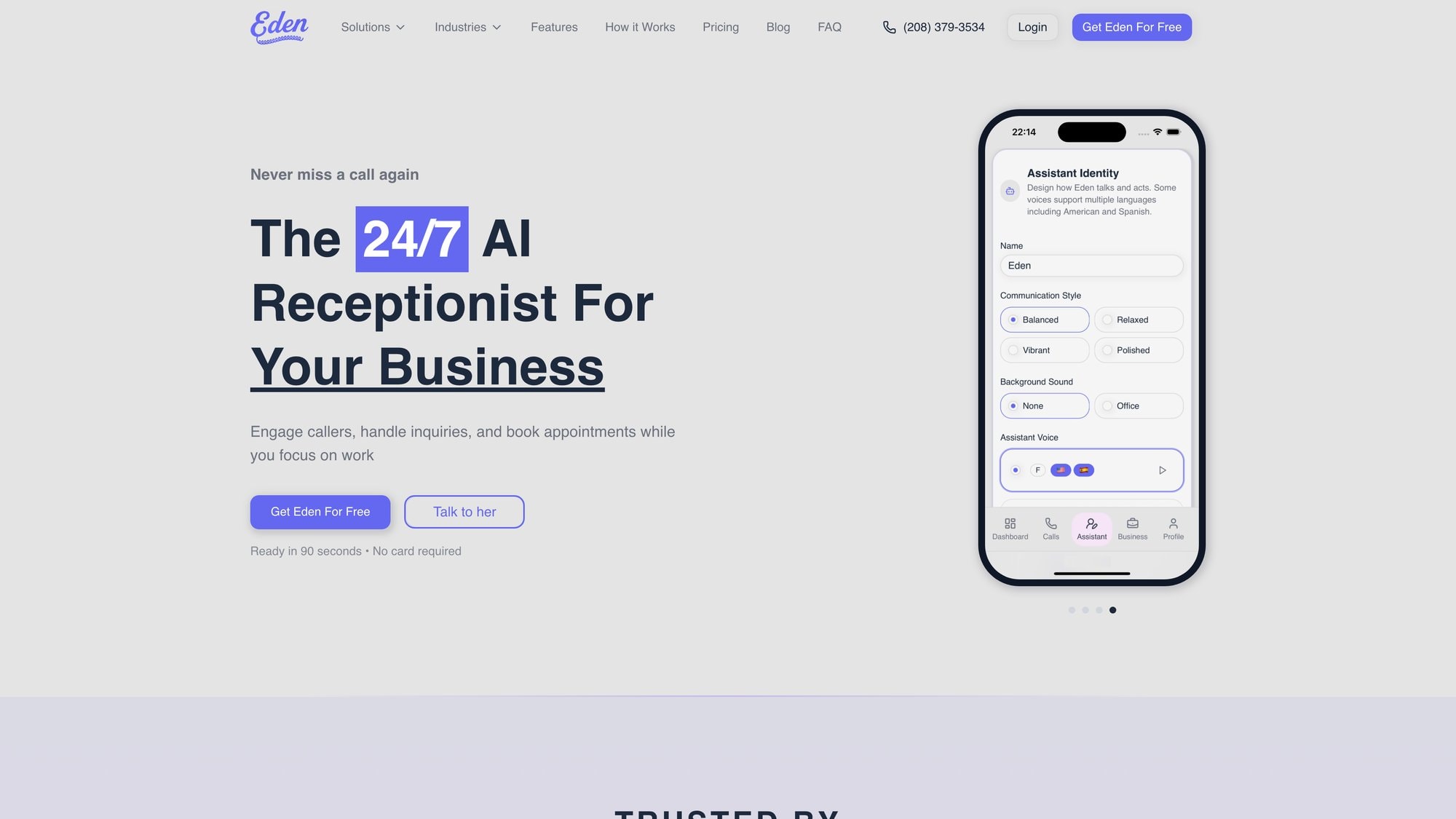
What Makes Eden Different#
Five-minute setup, not five weeks. You don't need a technical team or weeks of training. Just provide your website or business profile, and Eden automatically learns about your services, hours, and FAQs. Configure your preferences (greeting, tone, call routing), turn on call forwarding, and you're live. Most businesses are up and running in minutes.
24/7 coverage without hiring night staff. Eden answers every call, every time, whether it's 2 PM or 2 AM. No more losing weekend leads to voicemail. No more missing that after-hours emergency call that could've been a high-value job. Your customers get immediate help around the clock.
Bilingual support included. Eden speaks both English and Spanish fluently, switching languages naturally during conversations. This alone opens your business to a wider customer base without hiring bilingual staff.
Smart spam filtering saves your time. Eden's IntelliSpam system automatically blocks robocalls and telemarketers. Your phone only rings for real customers, and you don't waste paid minutes on spam.
Appointment booking that actually works. On our Pro plan, Eden integrates with Google Calendar and Microsoft Outlook Calendar. When a caller wants to schedule service, Eden checks your availability and books the appointment on the spot. No phone tag, no back-and-forth emails, just instant scheduling.
Call transfers when you need them. For urgent matters or complex questions, Eden can warm transfer the call to you or your on-call team. The AI gathers context first, so by the time the call reaches you, you already know what the customer needs.
Transparent pricing, no surprises. Plans start at $39/month for 200 minutes (perfect for solo entrepreneurs and very small teams). Our Pro plan at $99/month includes unlimited minutes, multiple voice options, and full calendar integration. If you go over on the Plus plan, it's just $0.20/minute. Learn more about our pricing.
Real Results for Real Businesses#
Small law firms use Eden to capture new client inquiries when attorneys are in court. Real estate agents never miss a buyer call while out showing homes. HVAC companies handle emergency calls after hours and route them to on-call techs. Plumbers book appointments while they're on job sites.
These aren't huge corporations with massive budgets. They're businesses just like yours that needed a better way to handle calls without hiring a full-time receptionist.
Get Started in Minutes#
Visit ringeden.com to set up your AI receptionist today. You'll get 30 free minutes to test the system with real calls. See how Eden answers, how it sounds, and how it captures lead information. If it works for you (and it will), choose a plan and go live.
Your competitors are already losing customers to voicemail. Don't be one of them. Let Eden answer your calls and start capturing every opportunity that comes your way.
Frequently Asked Questions#
What exactly is automated customer service?
Automated customer service uses technology like AI chatbots, phone systems, and self-service tools to handle customer interactions without requiring a human to respond each time. The goal is resolving customer issues with minimal or no human intervention through software that can understand questions, provide answers, route calls, and execute tasks like booking appointments.
How does automated customer service work on phone calls?
When a customer calls, the system uses voice recognition to transcribe and understand what they're saying. AI analyzes their intent (scheduling an appointment, asking a question, reporting a problem) and responds with natural language. For simple inquiries, the AI handles everything. For complex issues, it gathers information and transfers to a human agent with full context. Learn more about how AI phone answering works.
What are the main benefits of using automated customer service?
The biggest benefits are 24/7 availability (no more missed after-hours calls), the ability to handle much higher call volumes without proportional cost increases, consistent and accurate responses every time, faster service with reduced wait times, lower support costs compared to staffing a full human team, and valuable data insights from every logged interaction.
Can automated customer service handle complex customer issues?
Automation excels at routine, straightforward tasks like FAQs, appointment scheduling, order status checks, and basic troubleshooting. However, complex issues that require judgment, creativity, or emotional intelligence should be handled by humans. The best systems know when to escalate to a human agent instead of forcing automation beyond its capabilities.
What's the difference between a chatbot and an AI receptionist?
A chatbot typically handles text-based conversations on websites or messaging apps. An AI receptionist handles phone calls with voice, answering questions, capturing caller information, booking appointments, and transferring calls when needed. Both use AI to understand and respond, but AI receptionists focus specifically on phone communication for businesses.
How much does automated customer service cost?
Costs vary widely. AI-based solutions like Eden start at $39/month for basic coverage, while comprehensive plans with unlimited minutes and advanced features run $99-299/month. Human virtual receptionist services typically cost $245-1,695/month depending on volume. Enterprise solutions may have custom pricing. Most services charge per minute or per interaction beyond included limits. Compare costs here.
Will automated customer service replace human agents entirely?
No. While automation handles routine tasks extremely well, human agents remain essential for complex issues, sensitive situations, and cases requiring empathy or creative problem-solving. The future is a hybrid model where AI handles repetitive work and humans focus on high-value interactions that truly need a personal touch. Learn about the AI receptionist vs human comparison.
How do I know if my business needs automated customer service?
If you're missing calls because your team is busy, losing after-hours inquiries to voicemail, spending excessive time on repetitive questions, or struggling to scale support as you grow, automation can help. Small businesses that can't afford a full-time receptionist but need professional phone coverage are ideal candidates for AI receptionist services.
Is automated customer service frustrating for customers?
Poorly implemented automation can be frustrating (think endless phone menus and unhelpful chatbots). However, well-designed systems with natural conversation, easy access to humans when needed, and actual problem-solving capabilities improve customer satisfaction. The key is choosing the right tasks to automate and always providing an escape to human help.
Can automated systems handle multiple languages?
Yes, many modern AI systems support multiple languages. For example, Eden's AI receptionist speaks both English and Spanish fluently and can switch languages naturally during a conversation. Some enterprise platforms offer automated translation across dozens of languages, allowing businesses to serve global customers without hiring multilingual staff.
How long does it take to set up automated customer service?
Setup time varies. Simple solutions like Eden can be configured in as little as five minutes by providing your website and basic preferences. More complex enterprise implementations involving custom integrations, extensive knowledge bases, and workflow automation can take weeks or months. Most small business solutions fall in the quick-setup category.
What happens if the automated system doesn't understand a customer?
Quality automated systems are designed to recognize when they're not understanding or can't help. They should acknowledge this and offer to transfer to a human agent immediately. The worst systems trap customers in loops. The best ones gracefully hand off to humans with all the context gathered so far, ensuring the customer gets help without repeating themselves.
Ready to Transform YourCustomer Experience?
Join hundreds of businesses using Eden AI to handle calls, book appointments, and provide 24/7 customer support.