What Is Customer Service Automation? Complete Guide (2025)
Wondering what is customer service automation? Learn how it can transform your business, its benefits, and simple steps to get started today.
November 27, 2025
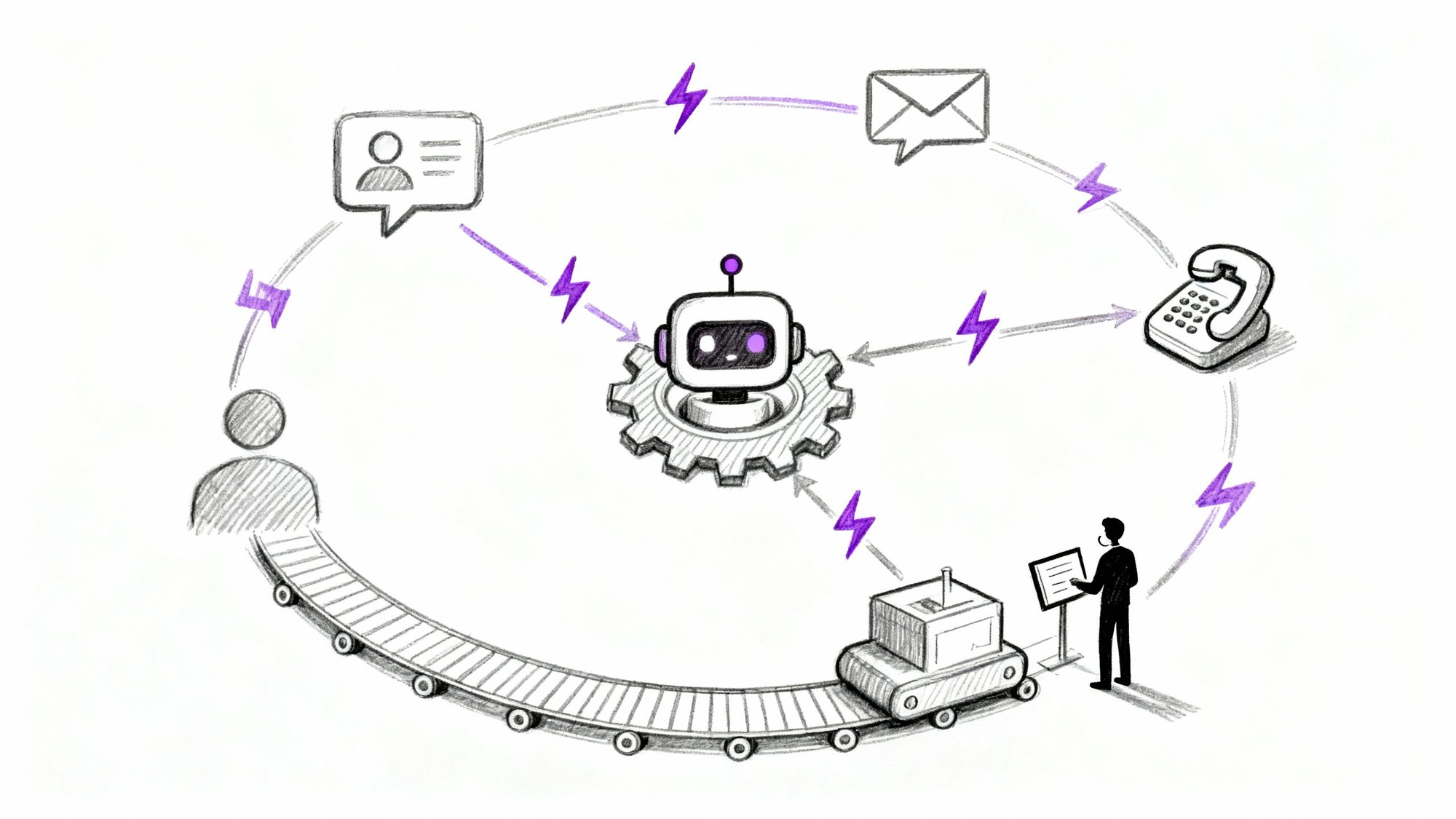
Your phone's ringing. Again. It's the fifth call this hour asking about your business hours, and your team is already swamped handling actual customer issues.
Exhausting, right?
Customer service automation changes this reality entirely. Instead of your staff answering the same questions over and over, technology handles those routine inquiries automatically. The result? Your customers get instant answers 24/7, and your team can focus on the complex problems that actually need human expertise.
This guide breaks down exactly what customer service automation is, how it works, and why businesses of all sizes are making the switch.

What Is Customer Service Automation and How Does It Work?#
Customer service automation uses technology (AI chatbots, virtual phone agents, self-service portals, automated workflows) to handle support tasks without requiring human intervention every single time.
When someone asks "What are your hours?" at 2 AM, automation answers immediately. When a caller needs directions to your office, an AI receptionist can provide them without putting anyone on hold. When customers want to check their order status, they can do it themselves through an automated portal.
The critical point? Automation isn't about replacing your support team. It's about handling the repetitive stuff so your actual humans can focus on cases that genuinely need empathy, creativity, and problem-solving skills.
Research shows that 70-80% of typical support queries are routine, repetitive questions. Password resets. Business hours. Return policies. Directions. These are perfect candidates for automation.
How AI Customer Service Technology Works#
Customer service automation combines several technologies:
Natural language processing (NLP) lets bots understand questions in plain language, not just exact keywords.
Someone can ask "When are you guys open?" or "What's your schedule?" and the system understands both mean the same thing.
Connected databases provide the information automation needs. An AI receptionist linked to your calendar can book appointments. A chatbot connected to your inventory can check product availability. A phone system tied to your CRM can recognize repeat callers.
Smart workflows execute the right actions based on context:
• Route urgent calls to the right person
• Create support tickets automatically
• Send follow-up texts after calls
• All happening without manual effort
Multichannel capability means automation works everywhere customers contact you: website chat, phone calls, SMS, email, even social media DMs.
A real example: A small business uses Eden (an AI phone receptionist) to answer their main line. When someone calls asking about services, Eden explains what they offer. When a caller wants to book an appointment, Eden checks the calendar and schedules it. When there's an emergency that needs immediate attention, Eden transfers to the business owner's cell phone.
All of this happens automatically, whether it's noon on Tuesday or 11 PM on Saturday.
Why Businesses Automate Customer Service (Key Benefits)#
The numbers tell a compelling story about why automation has become essential.
Instant Response Times That Matter to Customers#
Automated systems respond instantly.
No waiting in a queue. No hold music. No "we'll get back to you."
This speed directly impacts customer satisfaction. Fast response times are the single biggest influence on satisfaction scores. When IBM put in AI chatbots, they found the bots could resolve around 75% of customer questions on their own, with no human needed.
That meant customers got answers immediately three out of four times.
24/7 Availability Without Hiring More Staff#
Unlike your human team, automation doesn't sleep, take breaks, or observe holidays.
24/7 availability transforms how small businesses compete. A two-person law firm using automation can offer the same round-the-clock phone coverage as a firm with 50 attorneys. An HVAC company can capture emergency repair requests at midnight instead of losing those jobs to competitors.
Studies show that 90% of consumers prefer companies offering immediate responses via AI or virtual agents.
If you're not available when they need help, they'll find someone who is.
How Much Does Customer Service Automation Save?#
By handling repetitive tasks automatically, you serve more customers without proportionally increasing headcount.
Industry studies document that businesses introducing customer service automation typically see 20-40% reduction in support operating costs. Companies achieve up to 30% cost reduction while simultaneously improving service quality and customer satisfaction.
The math works like this:
| Interaction Type | Approximate Cost |
|---|---|
| Live phone call with agent | $6-12 per call |
| Chatbot conversation | $0.50 per interaction |
| Self-service portal use | Negligible |
A single automated answering service can handle dozens of simultaneous interactions, while a person manages one (maybe two with difficulty).
This scalability means you can handle a 3x surge in customer inquiries with minimal additional expense.

Consistent Service Quality Every Time#
Human agents have off days. They forget things. They give slightly different answers to the same question depending on who asks.
Automation delivers identical service quality every single time.
Once you program your knowledge base correctly, customers get the same accurate answer whether it's Monday morning or late Saturday night. No variations. No mistakes. No inconsistency.
For businesses with multiple locations or many agents, this consistency is invaluable.
How Automation Frees Your Team for Complex Work#
When automation handles routine inquiries, your support team gets to do actual interesting work instead of answering "What are your hours?" fifty times daily.
77% of service teams using automation report increased agent productivity.
Why? Because they're spending time on high-value tasks instead of copy-pasting tracking numbers.
Amazon found that AI tools assisting human agents can cut issue resolution time by 30% by surfacing the right information quickly.
Beyond productivity, this shift improves morale. Nobody was hired for their stellar people skills just to answer the same basic questions repeatedly. When your team gets to solve interesting problems and genuinely help people, they're more engaged and less burned out.
Customer Satisfaction and Retention Rates#
Done right, automation makes customers happier.
51% of consumers actually prefer chatbots for simple queries if it means getting immediate answers instead of waiting for a live agent. They don't miss the human interaction when their straightforward question gets resolved in 30 seconds.
The flip side? 65% of consumers have cut ties with a brand over a single bad service experience.
Long hold times, no after-hours response, having to repeat information to multiple agents... these frustrations drive customers away.
Automation eliminates many of these pain points. 74% of consumers would prefer an automated callback option rather than waiting on hold.
Providing that through automation leaves a vastly better impression.
Types of Customer Service Automation Tools#
"Customer service automation" isn't one specific tool. It's an umbrella term covering multiple technologies working together.
AI Chatbots for Customer Support#
These are the chat windows on websites or messaging apps that carry actual conversations with customers. Modern chatbots use AI and natural language understanding to interpret what users ask and provide relevant answers.
They excel at:
→ FAQs
→ Basic troubleshooting
→ Order status checks
→ Appointment booking
→ General information
An airline's chatbot might help you check flight status or baggage allowance automatically. An e-commerce bot could track your package or process a return.
Industry projections suggest that by the end of 2025, over 80% of businesses will have some form of chatbot on their customer touchpoints.
The best chatbots integrate with your backend systems so they can give personalized answers. Instead of just generic info, they access your actual order details, account information, or appointment availability.
AI Phone Answering Services and IVR Systems#
When customers call, automation can handle interactions before a human ever picks up.
Traditional IVR (Interactive Voice Response) systems use phone menus: "Press 1 for billing, press 2 for support..." Newer AI-driven voice assistants go much further.
Callers can speak naturally to an automated agent that understands conversation.
For example, Eden (an AI receptionist service) answers your main line with natural conversation. It can:
① Answer common questions
② Capture caller information
④ Intelligently transfer calls based on what the caller needs
All without a live person.
This is incredibly valuable for small businesses who can't afford 24/7 front desk staff. The AI greets every caller professionally, makes sure urgent calls get through immediately, and captures information from others.
No calls slip through the cracks, and your human staff only handles what the AI passes to them (often pre-qualified).

Self-Service Knowledge Bases and Help Centers#
Not all automation is chatbots and voice. Sometimes the best thing is empowering customers to help themselves.
A self-service portal is a help center where customers can:
• Find articles
• Track orders
• Reset passwords
• Log support tickets
• Check status
These portals are automation because they guide users to solutions without agent involvement.
A software company might have a knowledge base where typing "error 105" brings up a step-by-step fix. A utilities company might let customers troubleshoot outages through an interactive guide.
Many customers prefer self-service when available. As long as the information is good, it's often faster than contacting support.
Automated Workflows and Ticket Routing#
These are behind-the-scenes automations customers might not see directly, but they streamline your support process dramatically.
Modern helpdesk software lets you set up automation rules:
• When a new email arrives, automatically create a support ticket and assign it to the right department based on keywords
• If a high-priority ticket hasn't been updated in 48 hours, automatically escalate it and notify a manager
• Send automatic email or SMS acknowledgments: "We received your request and will reply within 24 hours"
• When a sales inquiry comes via web form, auto-create a lead and trigger an email with a brochure
These workflow automations make sure nothing falls through the cracks and save tremendous time on administrative work.
Automated Follow-Up Messages and Surveys#
Simpler but still valuable: using templates and triggers for customer communications.
When a customer emails support, your system might instantly send back an acknowledgment: "Got it. We're on it and will reply within 2 hours."
After a live chat session, automation can email a transcript. After a phone call, a bot could text a link to a feedback survey or relevant FAQ page.
These touches require zero human effort but significantly enhance the customer experience. They make sure customers feel heard while waiting and keep communication seamless.
How to Implement Customer Service Automation (Step-by-Step)#
Successfully automating your customer service requires thoughtful planning, not just buying software.
Step 1: Find Your Most Repetitive Tasks#
Start by listing the most common questions and requests your team handles. Look at support tickets, call logs, chat transcripts.
What comes up over and over?
Common examples:
• "What's my order status?"
• "How do I reset my password?"
• "What are your rates/hours/location?"
• "Do you offer [specific service]?"
Also note pain points: high call volume at certain times, long hold times, after-hours inquiries going unanswered.
These repetitive, high-volume areas are prime automation candidates. If 30% of your calls are customers asking for basic info, that's a huge opportunity.
Step 2: Choose the Right Automation Tools#
Once you know what to automate, research appropriate technology:
| Channel | Recommended Tool Type |
|---|---|
| Website/app support | AI chatbot platforms |
| Phone inquiries | AI voice receptionists or IVR systems |
| Email management | Helpdesk software with automation features |
| Self-service | Knowledge base builders |
Match the tool to your channels. If you get most inquiries via phone, focus there.
For small businesses, many affordable services offer AI chatbots or phone assistants with easy setup.
Don't force one tool to do everything. Use chatbots for web support, a virtual phone agent for calls, and a good ticketing system for email.
Step 3: Integrate with Existing Business Systems#
An automation is only as good as the information you give it.
Connect your chosen tool with relevant data sources:
-
Upload FAQ content into the chatbot
-
Integrate with your order database for shipping info
-
Sync an AI receptionist with your calendar for appointment booking
-
Link to your CRM so the system knows who's calling
During setup, define the bot's scripts or knowledge base. Craft clear, concise answers for common questions. If you have existing help center articles, import them.
Many modern tools have point-and-click integrations for popular platforms, so this isn't as technical as it sounds.
Step 4: Start Small and Scale Gradually#
It's tempting to automate everything at once. Resist that urge.
Start with one or two high-impact use cases and get those right. Maybe deploy a chatbot for website FAQs first. Or set up automated callback for when phone queues exceed 5 minutes.
Starting small lets you test, gather data, and refine without disrupting your entire support operation. You'll learn what customers ask, how well the system handles them, and where to improve.
Once one piece works well, expand. Add more answers to the bot. Introduce an AI phone agent for after-hours.
Iterative rollout beats big-bang deployment every time.
Step 5: Test Before Full Launch#
Before unleashing automation on all customers, do controlled testing.
Use real scenarios:
• Have staff interact with the chatbot and ask tricky questions
• Call your phone system from an outside line and test various menus
• Make sure handoffs to humans work smoothly (if the customer says "agent," do they reach one?)
A common best practice: soft launch. Put the chatbot on one specific page first, or for a subset of users, to catch issues early before full rollout.
Step 6: Train Your Team on New Processes#
Automation changes how your support team works, so prepare them.
Explain what the system will handle versus what they'll handle. For example, if a virtual receptionist takes all after-hours calls, clarify how those messages reach the team (email by next morning?) and what the follow-up process looks like.
Train staff on any new interfaces. You might need to adjust processes. If simple issues never reach agents anymore, maybe you need someone periodically reviewing bot transcripts for quality control.
Get buy-in by emphasizing automation helps them, not replaces them. Show how it removes tedious tasks and lets them focus on rewarding work.
Step 7: Monitor Performance and Keep Improving#
Once live, don't set-and-forget. Treat automation like a new team member who needs coaching.
Monitor metrics:
| Metric | What It Tells You |
|---|---|
| Bot containment rate | How many inquiries resolved without human help |
| Customer satisfaction scores | Quality of automated interactions |
| Live agent workload changes | Are humans freed up for complex work? |
| Patterns where automation fails | Where to improve knowledge base |
If the chatbot often doesn't understand a particular question, add that Q&A to its knowledge base. If calls are transferring to humans too quickly, adjust the AI's confidence threshold.
Solicit customer feedback: add quick surveys like "Was this answer helpful?" after bot responses.
Use this data to iteratively improve. Automation often gets better over time, especially with active tuning.
Step 8: Always Keep a Path to Human Support#
Even with automation, maintain an easy path to human support.
Not every customer wants to deal with a bot. Not every issue can or should be automated.
The best setups balance automation with human touch.
Always offer options like "talk to an agent" or a clear route to reach a person. Train human agents to seamlessly pick up where automation left off. For example, they should see the chatbot conversation history before stepping in, so customers don't repeat themselves.
This hybrid approach yields highest satisfaction: customers get speed from automation when it works, but also empathy from humans when needed.
Common Customer Service Automation Challenges#
While automation offers massive benefits, there are pitfalls to avoid.
How to Avoid Robotic, Impersonal Automation#
Bad automation feels cold and frustratingly robotic. We've all dealt with clunky phone menus or chatbots giving canned responses that don't quite fit.
To overcome this:
① Design conversational interactions. Use natural language: "Hi! How can I help you today?" instead of stiff "State your query."
② Use AI so your bot understands variations of questions, not just exact keywords.
③ Be transparent. Let customers know they're interacting with AI initially: "I'm Eden, a virtual assistant." But reassure them human help is available.
④ Give your automation personality aligned with your brand voice. Test the experience yourself. If the bot's replies annoy you, they'll annoy customers too.
The good news? AI has gotten much better. Over half of customers now believe AI agents can be empathetic when addressing concerns.
When to Escalate to a Human Agent#
What if the customer asks something your bot can't handle?
This is where smooth escalation to a human is critical.
One of the worst scenarios: customers stuck in an endless loop with a bot that doesn't understand them. Unfortunately, studies show that many chatbot interactions fail to resolve issues, often because the bot didn't know when to quit.
Don't let automation become a barrier.
Program clear escape hatches. After one or two "I'm sorry, I didn't get that" responses, offer to connect to a live agent or take contact info for follow-up.
Make sure your phone system always lets callers press 0 or say "agent" to reach a person.
Monitor unanswered questions. If common ones slip through, that's feedback to improve the bot's knowledge.
Train bots to recognize frustration signals (like a customer repeating "representative") and trigger human handover in those cases.
It's better for a bot to hand off a tricky issue than mishandle it entirely.
Integration and Data Accuracy Issues#
Sometimes companies deploy a chatbot without integrating it properly. The result? An automation giving wrong information or lacking context.
A chatbot that can't pull up account details and just says "I can't help with that" frustrates users.
To avoid this: invest effort upfront connecting automation to relevant data. This might mean IT work to hook into databases or using APIs.
An integrated bot that recognizes a logged-in customer and greets them by name, or checks order status from your ERP, will be far more effective and appreciated.
Make sure data stays consistent. Your automated answers (like refund policy) should always be up-to-date and match what your website or agents say.
Assign someone to update the knowledge base in one central place so bots and humans draw from the same source.
Finding the Right Balance (Not Over-Automating)#
There's such a thing as automating too much.
If customers feel they can never reach a real person, it backfires. Research shows that 82% of U.S. customers still prefer dealing with a human for certain needs.
The solution? Find the right balance.
Use automation for what it's good at (speed, efficiency on simple tasks) but continue offering human channels, especially for high-value or sensitive interactions.
Some companies automate chat and email for FAQs but make sure sales inquiries or complaints route to humans ASAP.
Segment by issue type or customer value. VIP customers might get fast track to a human agent even when coming through the bot.
Never remove the phone option entirely if your customer base wants it.
Listen to feedback. If customers say your automated system makes it hard to get help, dial it back.
One best practice: use automation to assist your human agents in the background. While a human talks to a customer on chat, AI can suggest answers or pull up info. The customer gets human touch, but the agent is supercharged by AI.
Keeping Automation Updated and Accurate#
An often underestimated aspect: ongoing maintenance.
Customer service details change:
• You launch new products
• Update return policies
• Face new types of inquiries
Your automation needs to keep up.
Plan for someone on your team to regularly update content in your bots and self-service systems. This could be a monthly review of chatbot logs to add new Q&As, or an SOP that whenever the business makes a public change (prices, hours, policies), the knowledge base updates immediately.
Think of automation as a continually learning employee. Feed it new information and skills over time.
Companies seeing great success treat automation as a program, not a one-off project. They might even have "bot trainers" or analysts making sure the AI performs well and improves.
The Future of Customer Service Automation#
Customer service automation isn't slowing down. It's accelerating.
How Generative AI Is Changing Customer Support#
The rise of advanced AI models (like GPT-4 and beyond) means bots will become far more conversational and capable.
We're already seeing a shift from rigid scripted bots to AI "agents" that understand context, detect sentiment, and handle complex multi-step requests.
By 2025, 80% of customer service organizations will be using generative AI in some form to improve experiences.
This tech allows bots to generate human-like responses rather than choose from limited set replies, making conversations more fluid.
Future automated agents will resolve even complex issues end-to-end by querying multiple databases, making policy-based decisions, and explaining solutions in plain terms.
Gartner predicts that by 2029, agentic AI could resolve 80% of common customer service issues without human involvement, leading to significant cost reductions.
Omnichannel Automation Across All Platforms#
The future is meeting customers wherever they are, with automation woven through every channel.
We'll see tighter integration where a conversation starts with a chatbot on a website, continues via SMS, and then a voice AI calls the customer proactively.
All coordinated and aware of context.
Omnichannel automation makes sure customers never repeat information when switching channels.
New channels are being automated too. Social media DMs and WhatsApp are getting AI bots. Voice assistants like Alexa could become service conduits. Research finds that 57% of service professionals believe automated voice assistants will become a top channel for customer communication in coming years.
Automation won't be limited to chat or phone. It'll be ubiquitous across platforms, giving customers consistent help everywhere.
Hyper-Personalized Customer Experiences#
A lot of current automation handles generic questions similarly for everyone. The next phase is personalized automated service.
AI will use customer data to tailor interactions. A chatbot might know you've contacted support three times this month and immediately say, "Hi Jane, I see you've been having recurring issues with your router. Shall I schedule a technician visit?"
An AI phone agent greeting a VIP customer by acknowledging their status and prioritizing their issue.
Over 70% of organizations believe generative AI can help make digital interactions more human by personalizing them.
This makes interactions feel more empathetic and "known," even though it's AI. The caveat? Companies must handle personal data carefully to avoid the "creepy factor."
Proactive Service That Predicts Customer Needs#
Future automation won't just react to incoming questions. It will predict and act before customers even contact you.
Thanks to AI analytics, businesses can anticipate issues:
• If a smart appliance reports an error code, an AI system might automatically text the owner with fix steps rather than wait for a support call
• If a shipment is delayed, automated service might proactively apologize and provide a new ETA or discount coupon
• Predictive models may identify when a customer is getting frustrated (multiple help articles viewed with no success) and trigger a bot to offer help or escalate to a human
63% of organizations plan to increase AI investments in 2025, prioritizing tools that enhance customer engagement (which includes proactive service).
We're moving toward service that's one step ahead, with automation as the workhorse making that scalable.
AI and Humans Working Together#
Far from replacing humans, the future sees more hybrid teams of AI + human collaborators.
Customer service agent roles will evolve. They'll act more as "overseers" or "problem-solvers of last resort" while AI handles bulk routine interactions.
Agents will intervene for exceptions, provide human touch where required, and spend time training and tuning AI systems.
New job titles like "bot supervisor" or "conversation designer" or "AI customer experience trainer" are already emerging.
By using AI to handle volume, companies can reposition human staff to focus on building relationships and revenue-generating activities (upselling, loyalty building) rather than firefighting basic issues.
We're already seeing evidence: over 90% of organizations with AI in service say it's boosting agent productivity and improving customer experience simultaneously.
The human touch won't disappear. It'll just be applied more selectively where it truly matters, amplified by AI insights and assistance.
Real-World Example: Eden AI Phone Receptionist#
Small businesses face a particular challenge: they need great customer service to compete, but they can't afford full-time receptionists or 24/7 staffing.
This is where Eden comes in.
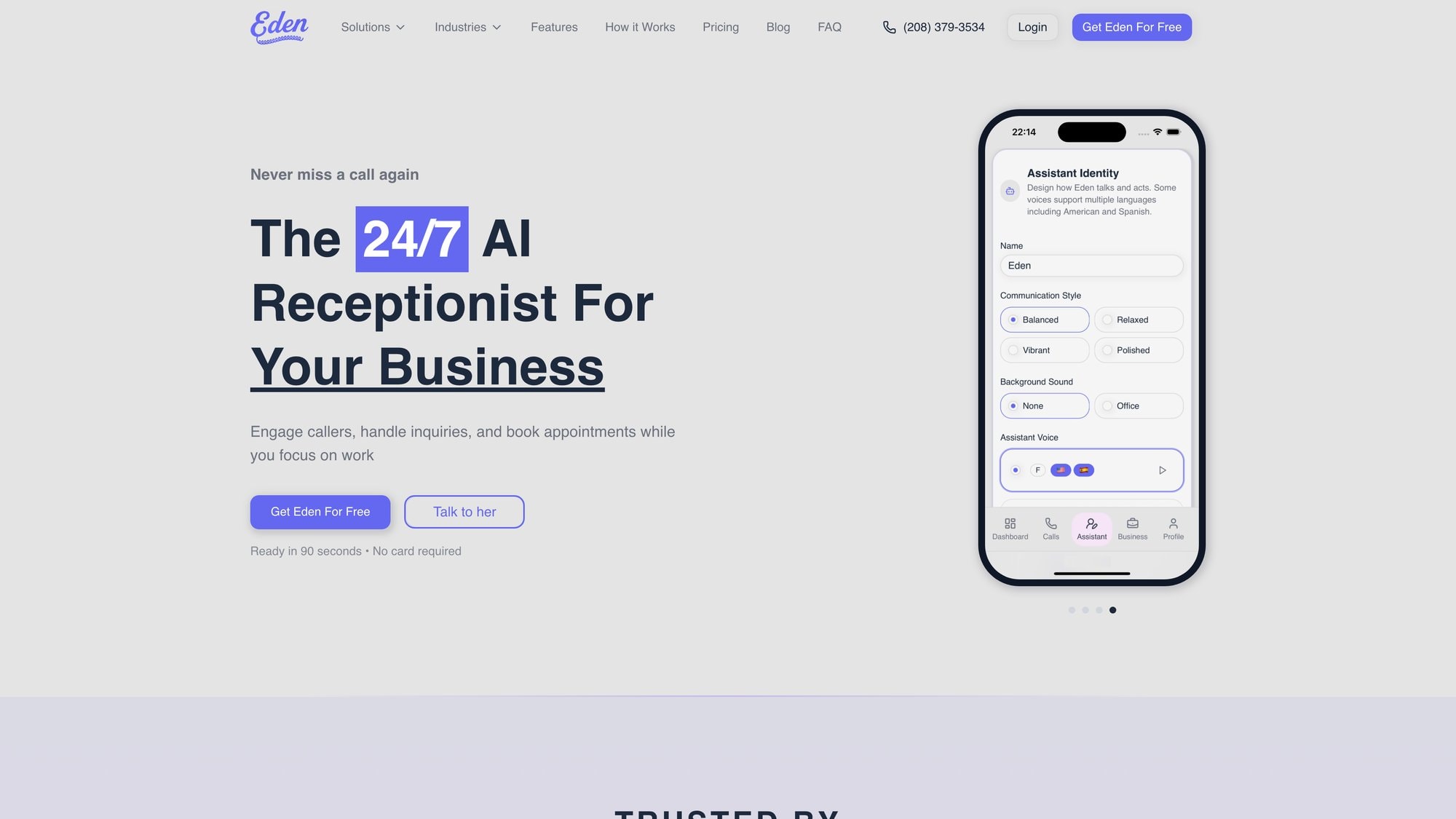
Eden is an AI phone receptionist that answers your business line 24/7 with natural conversation. It's designed specifically for small service businesses like law firms, real estate agencies, HVAC companies, plumbers, landscapers, and dozens of other industries.
How Eden Works#
When someone calls your business, Eden answers immediately, any time of day or night.
The AI has a natural conversation with the caller to understand what they need:
For routine questions (business hours, services offered, pricing, directions), Eden answers immediately from your business information
For appointment scheduling, Eden checks your calendar availability and books the appointment on the spot
For urgent calls that need immediate attention, Eden transfers directly to you or your team based on rules you set
For everything else, Eden captures detailed information (caller name, number, what they need) and sends you a summary via SMS and email immediately
The Benefits for Small Businesses#
Never miss a call. Whether it's 2 AM or during a busy afternoon when you're with clients, every call gets answered professionally.
Bilingual support. Eden seamlessly switches between English and Spanish, so you can serve more customers without hiring bilingual staff.
Spam filtering. Eden's IntelliSpam™ feature automatically blocks robocalls and scam calls, so your paid minutes go to real customers only.
Quick setup. You can have Eden up and running in about five minutes. Pick a number, paste your website (Eden pulls your business info), and forward your line.
Affordable pricing. Plans start at $39/month with 200 minutes included. Pro ($99/month) and Ultra ($299/month) offer unlimited minutes with advanced features like appointment booking and call transfers.
Why This Matters#
For a small HVAC company, Eden means capturing emergency calls at midnight instead of losing those jobs to competitors.
For a law firm, it means prospective clients get immediate response when they call about a case, not voicemail.
For a real estate agent, it means capturing interested buyers calling about a property listing on Sunday afternoon when the office is closed.
This is customer service automation at its most practical: handling the routine, being available 24/7, and making sure your human expertise gets applied where it actually matters.
Frequently Asked Questions#
What's the difference between customer service automation and AI customer service?#
Customer service automation is the broader concept of using any technology to handle support tasks automatically. This includes simple stuff like automated email responses or phone menus, as well as more advanced AI systems.
AI customer service specifically refers to using artificial intelligence (chatbots, virtual agents) as part of that automation.
So AI is one type of automation, but automation can also include non-AI tools like basic IVR systems or workflow automation.
Will automation replace my customer service team?#
No.
Automation handles routine, repetitive tasks (FAQs, basic requests, information gathering) so your human team can focus on complex issues that need empathy, creativity, and judgment.
Studies show 70-80% of support queries are routine and perfect for automation, but that remaining 20-30% genuinely needs human expertise.
The best approach combines automation for efficiency with humans for relationship-building and problem-solving.
Companies using automation typically see higher agent productivity because staff spend time on meaningful work instead of answering the same basic questions repeatedly.
How much does customer service automation cost?#
It varies widely based on what you're automating and your volume.
Basic chatbot platforms might cost $50-200/month for small businesses. AI phone receptionists like Eden start at $39/month for 200 minutes.
Enterprise helpdesk systems with advanced automation can run thousands per month.
But these costs are typically offset by savings. Each automated interaction costs pennies compared to $6-12 for a live agent call.
Most businesses see 20-40% reduction in support operating costs after putting in automation, so ROI is often positive within months.
What types of customer inquiries can automation handle?#
Automation excels at routine, predictable questions:
• Business hours, location/directions, pricing
• Product availability, order status
• Password resets
• Basic troubleshooting
• FAQ answers
• General information
It can also handle tasks like creating support tickets, routing calls intelligently, sending follow-up messages, and capturing caller information.
What automation struggles with: complex technical problems requiring diagnosis, emotionally charged situations needing empathy, unique scenarios without precedent, and anything requiring nuanced judgment or creativity.
That's where humans remain essential.
How long does it take to set up customer service automation?#
It depends on complexity.
Simple solutions like an AI phone receptionist or basic chatbot can go live in hours or days. Eden, for example, claims five-minute setup.
More comprehensive setups (integrating chatbots with your CRM, knowledge base, and ticketing system) might take weeks or months.
The key is starting small. Deploy one automation (like after-hours phone answering), get it working well, then expand.
Most businesses see initial value within the first week and continue adding capabilities over time rather than attempting a big-bang rollout.
Do customers prefer automation or talking to humans?#
It depends on the situation.
Research shows 51% of consumers actually prefer chatbots for simple queries if it means getting immediate answers. But 82% still prefer humans for certain needs, particularly complex or sensitive issues.
What customers really want is fast, effective help.
If automation provides that for routine questions, great. If an issue needs human expertise, they want easy access to a person.
The best approach offers both: automation for speed and availability on simple stuff, with clear paths to humans when needed.
Customer satisfaction comes from solving their problem quickly, whether that's via bot or person.
What happens if the automation doesn't understand a customer's question?#
Good automation should recognize when it's out of its depth and escalate to a human.
Best practices include:
• After 1-2 failed attempts to understand, offering to transfer to a live agent or take contact info for callback
• Always providing an option like "talk to an agent" or ability to press 0
• Monitoring these escalations to identify knowledge gaps and improve the system
The worst scenario is customers stuck in endless loops with a bot that never admits defeat. That's why clear escalation paths are critical.
You should also regularly review interactions where automation failed and either improve its knowledge base or adjust when it hands off to humans.
Can automation work for B2B companies or just B2C?#
Automation works for both B2B and B2C, though how you use it might differ.
B2C often uses chatbots for high-volume, simple interactions (tracking orders, FAQs). B2B might use automation more for scheduling sales calls, routing inquiries to the right department, capturing lead information, and handling after-hours contact.
B2B interactions tend to be higher-value and more complex, so you'd likely want more conservative automation (quicker handoff to humans) and more personalization.
But the core benefits (24/7 availability, faster response, better lead capture) apply equally.
Many B2B companies successfully use AI receptionists and virtual assistants to make sure prospects reach the right salesperson and support tickets get created efficiently.
How do I measure if customer service automation is working?#
Track these key metrics:
| Metric | Target/Benchmark |
|---|---|
| Containment rate | 60-80% for routine queries |
| Customer satisfaction scores | Compare automated vs. baseline |
| Response time | Should improve dramatically (ideally instant) |
| Resolution time | Overall time to solve issues should decrease |
| Support costs | Expect 20-40% reduction |
| Agent productivity | More complex tickets, fewer routine ones |
| Call/chat volume | Total might increase (more accessible), human-handled should decrease |
Monitor these monthly and compare to pre-automation baseline. Also collect qualitative feedback: are customers happier? Are agents less stressed?
Adjust automation based on what the data shows.
Is customer service automation secure and compliant?#
It can be, but you need to make sure your chosen solution meets requirements.
Look for:
• Data encryption in transit and at rest
• Compliance with relevant regulations (GDPR for EU customers, CCPA for California, industry-specific rules like HIPAA for healthcare)
• Clear data retention policies
• Secure integrations with your systems
• Vendor security certifications
For sensitive industries, ask vendors specifically about compliance. For example, Eden does not have HIPAA accreditation, so it's not suitable for healthcare providers handling protected health information.
Always verify the automation solution meets your specific compliance needs before putting it in place.
Most reputable vendors will have security documentation and compliance details readily available.
What's the best way to get started with customer service automation?#
Start with these steps:
1. Audit your current support: what are the most common questions/requests your team handles? Where are the biggest pain points?
2. Pick ONE high-impact use case to automate first (maybe after-hours phone calls, or website FAQs)
3. Choose a tool that fits that specific need (don't try to find one tool for everything yet)
4. Set it up with good information (accurate FAQs, connected to necessary data sources)
5. Test thoroughly with your team before going fully live
6. Launch to a small group first if possible, gather feedback
7. Monitor performance closely in the first weeks and refine
8. Once working well, expand to additional use cases
The key is starting small and building confidence rather than attempting to automate everything at once. Quick wins build momentum and teach you what works for your specific business.
Final Thoughts#
Customer service automation is about making your customers' lives easier while making your operations more efficient. By letting technology handle routine tasks, you make sure customers get quick answers anytime while your team focuses on complex issues that genuinely need human expertise.
The technology is mature and proven. Businesses of all sizes are already seeing the benefits: lower support costs, higher scalability, happier customers, more productive teams.
Those that use automation will capture these advantages. Those that don't risk falling behind as customers have less patience for companies that are hard to reach or slow to respond.
The question isn't whether to automate customer service anymore. It's how to do it thoughtfully, in ways that enhance (not replace) the human touch and genuinely improve the customer experience.
If you're ready to explore what automation can do for your business, start by identifying where you're losing opportunities or overwhelming your team with repetitive work.
That's probably the perfect place to introduce your first automation and see the difference it makes.
Ready to Transform YourCustomer Experience?
Join hundreds of businesses using Eden AI to handle calls, book appointments, and provide 24/7 customer support.